Intel i3-2120 vs i3-3220: Which Budget CPU Wins?
The Intel Core i3-3220 easily tops the older i3-2120 on IPC, integrated graphics, and power efficiency for nearly identical pocket change on the used market.
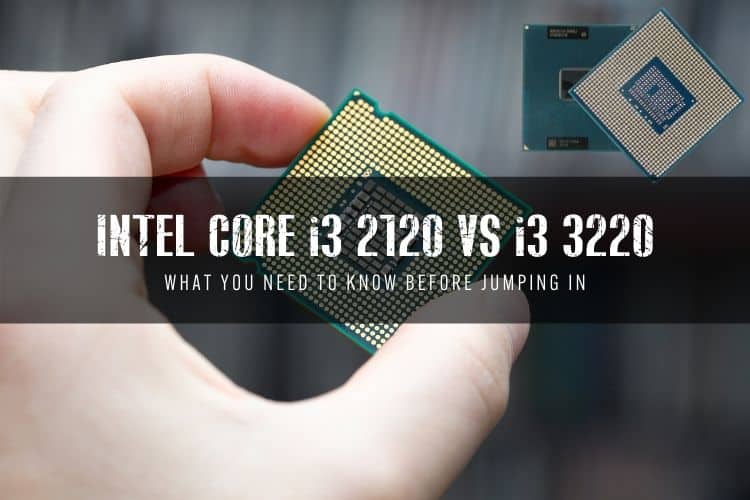
The Short Answer: Get the Core i3-3220
Between the Intel Core i3-2120 and the Core i3-3220, the i3-3220 is the undisputed winner. It is built on a newer architecture, runs cooler with a lower 55W thermal envelope, offers better IPC, and supports faster DDR3-1600 memory—all while costing the same $5 to $10 on the secondhand market.
- Best overall pick: Intel Core i3-3220 (Ivy Bridge, 22nm, lower 55W TDP, HD Graphics 2500).
- Runner-up / drop-in backup: Intel Core i3-2120 (Sandy Bridge, 32nm, 65W TDP, HD Graphics 2000).
- Better alternative for LGA 1155: Intel Core i5-3470 or Xeon E3-1230 v2 (gives you 4 physical cores for under $20).
Architecture: Sandy Bridge vs. Ivy Bridge
The core difference between these two dual-core chips comes down to fabrication process and microarchitecture generations. The Core i3-2120 belongs to the 2nd-generation "Sandy Bridge" family, manufactured on a 32-nanometer process and launched in early 2011. The Core i3-3220 represents the 3rd-generation "Ivy Bridge" refresh, rolling out in late 2012 on a refined 22-nanometer node with Intel's 3D Tri-Gate transistors.
Because of that die shrink, the i3-3220 squeezes roughly 4% to 7% better instructions per clock (IPC) out of the same 3.30 GHz base frequency. Neither processor features Intel Turbo Boost, so clock speeds stay locked at 3.30 GHz under heavy loads across their 2 cores and 4 threads. That minor IPC uplift gives the i3-3220 a consistent, albeit modest, lead in single-threaded tasks and everyday responsiveness.
| Specification | Intel Core i3-2120 | Intel Core i3-3220 |
|---|---|---|
| Architecture | Sandy Bridge (32nm) | Ivy Bridge (22nm) |
| Cores / Threads | 2 / 4 | 2 / 4 |
| Base Clock | 3.30 GHz | 3.30 GHz |
| Turbo Boost | No | No |
| L3 Cache | 3 MB SmartCache | 3 MB SmartCache |
| TDP | 65 Watts | 55 Watts |
| Integrated Graphics | Intel HD Graphics 2000 | Intel HD Graphics 2500 |
| Max Native Memory | DDR3-1066 / 1333 | DDR3-1333 / 1600 |
| DirectX Support | DirectX 10.1 | DirectX 11.0 |
| Max Displays Supported | 2 | 3 |
| Typical Used Price | $5 – $8 | $6 – $10 |
Real-World Performance & Integrated Graphics
In CPU-heavy workloads, the Core i3-3220 leads across single-core and multi-core metrics. The memory controller is also upgraded: while the i3-2120 caps native DDR3 support at 1333 MHz, the i3-3220 supports DDR3-1600 out of the box, providing higher system memory bandwidth. The old myth that the i3-2120 wins in memory-intensive scenarios was simply due to early flawed test suites—in reality, the Ivy Bridge memory controller is strictly faster and lower-latency.
The integrated graphics gap is even wider. The i3-2120 carries Intel HD Graphics 2000, which tops out at DirectX 10.1 and struggles with modern lightweight web decoders. The i3-3220 features Intel HD Graphics 2500, which adds DirectX 11 support, better Quick Sync video encoding, and the ability to drive up to three simultaneous displays instead of two.
Neither chip handles modern 3D gaming on integrated graphics. However, the HD 2500 on the i3-3220 is markedly better for basic 1080p desktop usage, multi-monitor productivity, and lightweight retro emulation.
Power Consumption, Thermals, and Compatibility
Ivy Bridge's 22nm node brings tangible thermal advantages. The Core i3-3220 is rated at a 55W TDP, compared to the 65W TDP of the Core i3-2120. In idle and light office tasks, both pull negligible power from the wall, but under prolonged load, the i3-3220 runs roughly 8 to 10 watts leaner. If you are building an always-on home server, a lightweight TrueNAS box, or a low-noise media center, the lower heat output of the i3-3220 makes it much easier to cool quietly with a stock Intel aluminum heatsink.
Motherboard Compatibility Considerations
Both chips drop into the LGA 1155 socket, but there is one trap to avoid with older motherboards:
- 6-Series Boards (H61, H67, P67, Z68): Natively support the i3-2120. They support the i3-3220 only after a BIOS update. If you buy a bare H61 motherboard with an outdated factory BIOS, it may not POST with an Ivy Bridge i3-3220 installed.
- 7-Series Boards (B75, H77, Z75, Z77): Natively support both processors with zero firmware headaches.
Should You Buy Either CPU Today?
In 2026, dual-core processors without Turbo Boost struggle under modern web rendering, heavy background tasks, and Windows 11 system requirements. If you are keeping an old LGA 1155 motherboard alive on a sub-$10 budget, pick the Core i3-3220 over the i3-2120 every time—the price gap on eBay is negligible.
However, we would skip both if you can spare an extra $10. A used 4-core, 4-thread chip like the Core i5-3470 costs around $12 to $15, while a 4-core, 8-thread Xeon E3-1230 v2 or Core i7-3770 sits around $25 to $35. Stepping up to four true cores makes a massive difference in real-world system snappiness and lightweight multitasking.
If you are building a budget system completely from scratch rather than upgrading an existing socket, look past LGA 1155 entirely. Modern entry-level processors like the Intel Core i3-12100F or AMD Ryzen 5 5500 run circles around these decade-old dual-cores while offering modern PCIe 4.0 storage and official Windows 11 support.
FAQ
Can the Intel Core i3-3220 run Windows 11?
Not natively. Windows 11 officially requires an 8th-generation Intel Core processor or newer, alongside TPM 2.0 and Secure Boot support. While you can bypass hardware checks using modified installation media, dual-core chips like the i3-2120 and i3-3220 will feel sluggish on modern builds. For smooth performance on older hardware, lightweight Linux distributions or ChromeOS Flex are much better fits.
Can I replace an i3-2120 with an i3-3220 on an H61 motherboard?
Yes, provided you update your motherboard BIOS to the latest version before swapping the CPUs. The H61 chipset originally launched with Sandy Bridge support, and early BIOS revisions cannot recognize Ivy Bridge processors like the i3-3220 without a vendor update.
Is the Core i3-3220 good for gaming?
Only for retro titles and very light indie games. Pair it with a dedicated budget GPU like an older GTX 750 Ti or RX 460, and it will run pre-2015 PC games, source-engine titles like Left 4 Dead 2, and classic emulators. Modern AAA titles require at least four physical CPU cores to launch and maintain playable frame rates.