Best X570 Motherboards for AM4 in 2026
If you are keeping an AM4 gaming rig or home workstation running with a Ryzen 5000 processor, a good X570 motherboard delivers abundant PCIe 4.0 lanes without the cost of a full DDR5 platform jump.
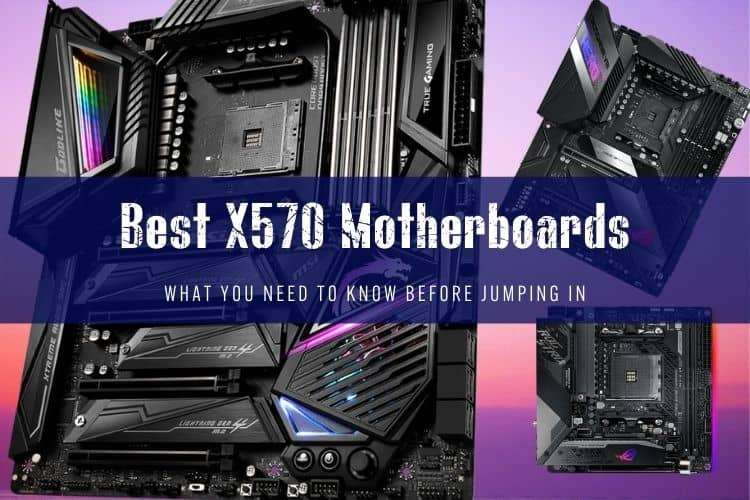
The AMD X570 platform is no longer modern flagship territory, but it remains the most versatile foundation for high-end AM4 systems. If you want full PCIe 4.0 lanes across both your primary GPU and secondary M.2 drives without paying DDR5 platform premiums, picking up an X570 board on the used or clearance market makes serious economic sense.
Quick picks
- Best overall: Asus TUF Gaming X570-Plus (Wi-Fi) – Reliable VRMs, reasonable used price, and rock-solid stability.
- Best for overclocking and enthusiasts: Asus ROG Crosshair VIII Hero (Wi-Fi) – Outstanding power delivery and post-code diagnostics for maxing out a 5950X.
- Best mid-range ATX: Gigabyte X570 Aorus Elite (Wi-Fi) – Clean layout, integrated I/O shield, and capable 12+2 phase VRM.
- Best Mini-ITX: Asus ROG Strix X570-I Gaming – High-density engineering with dual Gen4 M.2 slots for small-form-factor rigs.
- Best Micro-ATX: ASRock X570M Pro4 – One of the only mATX options on this chipset, ideal for compact workstation cubes.
The Best X570 Motherboards Tested and Ranked
Asus TUF Gaming X570-Plus (Wi-Fi) – Best Overall
The Asus TUF Gaming X570-Plus (Wi-Fi) was the volume king of the AM4 era for good reason: it nails every fundamental. Asus fitted this board with a 12+2 DrMOS power stage configuration that stays cool even when paired with power-hungry chips like the Ryzen 9 5900X or 5950X.
You get two full-speed PCIe 4.0 M.2 slots, eight SATA ports, and dependable Intel Wi-Fi. The active chipset fan runs quietly under normal workloads, though Asus placed it directly beneath where longer 3-slot graphics cards sit. It lacks a physical BIOS flashback button—meaning you need a compatible CPU installed to update older firmware—but on the secondhand market today (usually selling between $90 and $120), it represents the safest, most trouble-free X570 buy you can make.
Asus ROG Crosshair VIII Hero (Wi-Fi) – Best for Enthusiasts
If you want to push a Ryzen 7 5800X3D or 5950X to its absolute limits, the Crosshair VIII Hero remains a masterclass in enthusiast board design. Its 14+2 power stages (rated at 60A each) handle heavy continuous loads without breaking a sweat, supported by heavy finned heatsinks tied together via heatpipes.
Rear connectivity is top-tier: 12 USB ports on the back panel (including eight USB 3.2 Gen 2 ports), 2.5 Gbps Realtek LAN alongside an Intel Gigabit port, and built-in Wi-Fi 6. You also get physical onboard power/reset buttons, a two-digit Q-Code diagnostic display, and dedicated voltage read points. If you find one used under $180, grab it—just do not pay original $380+ launch prices.
Gigabyte X570 Aorus Elite (Wi-Fi) – Best Mid-Range ATX
The Gigabyte X570 Aorus Elite is a balanced board that avoids flashy gimmicks to focus on solid power circuitry. It uses a true 12+2 phase digital VRM with Vishay SiC634 MOSFETs that keep VRM temperatures well below 70°C under sustained Blender renders.
Gigabyte included an integrated I/O shield, a front-panel USB Type-C header, and their Q-Flash Plus feature, which lets you update the BIOS with only a power supply and a flash drive plugged in. We do wish it had a debug LED readout for troubleshooting, and the second M.2 slot lacks an included heatsink, but its pricing on the secondary market ($85 to $115) makes it easy to recommend.
Asus ROG Strix X570-I Gaming – Best Mini-ITX
Small-form-factor builders who need full PCIe 4.0 storage bandwidth will appreciate the engineering inside the Strix X570-I. Asus stacked the audio circuitry and primary M.2 slot on a daughterboard to save space, cramming an 8+2 phase VRM and dual PCIe 4.0 M.2 slots onto a tiny 17x17 cm footprint.
Active cooling is mandatory on a dense ITX board like this: Asus used dual custom 30mm fans to pull air over the VRM heatsink and chipset. They can spin up audibly under full synthetic loads, so setting custom fan curves in the BIOS is recommended. For a compact LAN rig or compact rendering node, it remains the sharpest ITX platform for AM4.
ASRock X570M Pro4 – Best Micro-ATX
Micro-ATX motherboards were notoriously scarce on the X570 chipset because the hot-running 11W chipset required clever board routing. The ASRock X570M Pro4 is one of the few models that made it to market, making it the default champion for mATX builders.
Its 10-phase power delivery is modest compared to the Asus TUF or Aorus Elite, so we would not drop an overclocked 16-core CPU into this board without good case airflow. But for a Ryzen 5 5600X or Ryzen 7 5700X3D in an mATX case, its dual PCIe 4.0 M.2 slots and Intel Gigabit LAN provide all the high-speed storage access you need.
A Note on the MSI MPG X570 Gaming Plus: Skip It
While the MSI MPG X570 Gaming Plus appeared frequently in budget roundups years ago, we suggest skipping it today. Independent thermal testing proved its entry-level VRM ran exceptionally hot—often exceeding 100°C when paired with 12-core and 16-core chips under load. If you want a budget MSI option, look for the refurbished MSI MAG X570 Tomahawk Wi-Fi instead, which fixed those power delivery issues entirely.
X570 Motherboard Comparison
| Motherboard | Form Factor | VRM Layout | PCIe 4.0 M.2 Slots | Rear USB Ports | Diagnostic Features |
|---|---|---|---|---|---|
| Asus TUF Gaming X570-Plus | ATX | 12+2 DrMOS | 2 | 7 (incl. Type-C) | Q-LED (4 basic LEDs) |
| Asus ROG Crosshair VIII Hero | ATX | 14+2 (60A) | 2 | 12 (incl. Type-C) | Q-Code Display + Buttons |
| Gigabyte X570 Aorus Elite | ATX | 12+2 Digital | 2 | 10 (incl. 4x USB 2.0) | None |
| Asus ROG Strix X570-I | Mini-ITX | 8+2 DrMOS | 2 | 8 (incl. Type-C) | Q-LED |
| ASRock X570M Pro4 | Micro-ATX | 10-Phase | 2 | 8 (incl. Type-C) | None |
| MSI MAG X570 Tomahawk | ATX | 12+2 (60A) | 2 | 8 (incl. Type-C) | EZ Debug LED |
Buying X570 Today: What You Need to Know
The Chipset Fan Reality
Unlike newer AM5 boards and mid-tier B550 boards, original X570 chipsets run at roughly 11 Watts, requiring an active cooling fan on almost every model (excluding rare fanless revisions like the X570S). Before buying a used board, inspect the chipset fan for dust accumulation or bearing noise. Most manufacturers issued firmware updates to let this fan idle completely when the chipset sits below 55°C.
X570 vs. B550: Which Should You Pick?
For 90% of gaming rigs, a B550 motherboard is actually the smarter buy: it has no chipset fan and offers PCIe 4.0 on the primary GPU slot and top M.2 slot. Buy X570 only if you need high-bandwidth expansion: dual Gen4 M.2 NVMe drives running simultaneously at full speed, or secondary high-bandwidth capture cards and 10GbE network adapters running off the chipset lanes.
Buying New Instead?
If you do not already own high-end DDR4 RAM and an AM4 processor, building a brand-new PC on X570 makes little sense. An entry-level B650 motherboard paired with a Ryzen 5 7600 gives you faster single-core performance, lower power draw, PCIe 5.0 expansion on select slots, and a clear upgrade path for future generations.
FAQ
Does an X570 motherboard support the AMD Ryzen 7 5800X3D out of the box?
Most X570 boards manufactured after late 2021 ship with a BIOS version that supports the 5800X3D natively. However, if you buy an early production unit used, you may need to update the BIOS. Boards featuring USB BIOS flashback (like the Gigabyte X570 Aorus Elite or Asus Crosshair VIII Hero) let you flash the latest firmware using a thumb drive without an older CPU installed.
Can I run PCIe 3.0 SSDs and GPUs on an X570 motherboard?
Yes. PCIe 4.0 is fully backward compatible with PCIe 3.0 and older devices. Your Gen3 NVMe drives and legacy graphics cards will function at their standard maximum speeds without compatibility issues.
What is the difference between X570 and X570S motherboards?
X570S was a mid-generation refresh released by motherboard vendors in late 2021. The "S" stands for silent: these boards run an updated, more efficient chipset firmware revision that allows for totally passive heatsink cooling, eliminating the tiny chipset fan found on original X570 models.