HP EliteBook 6 G2a 14 vs HP EliteBook 6 G2i 16
HP EliteBook 6 G2a 14: AMD Ryzen AI 7 450, released Jun 1, 2026
HP EliteBook 6 G2i 16: Intel Core Ultra 7 366H, released Jun 1, 2026
Chip vs chip: AMD Ryzen AI 7 450 vs Intel Core Ultra 7 366H →
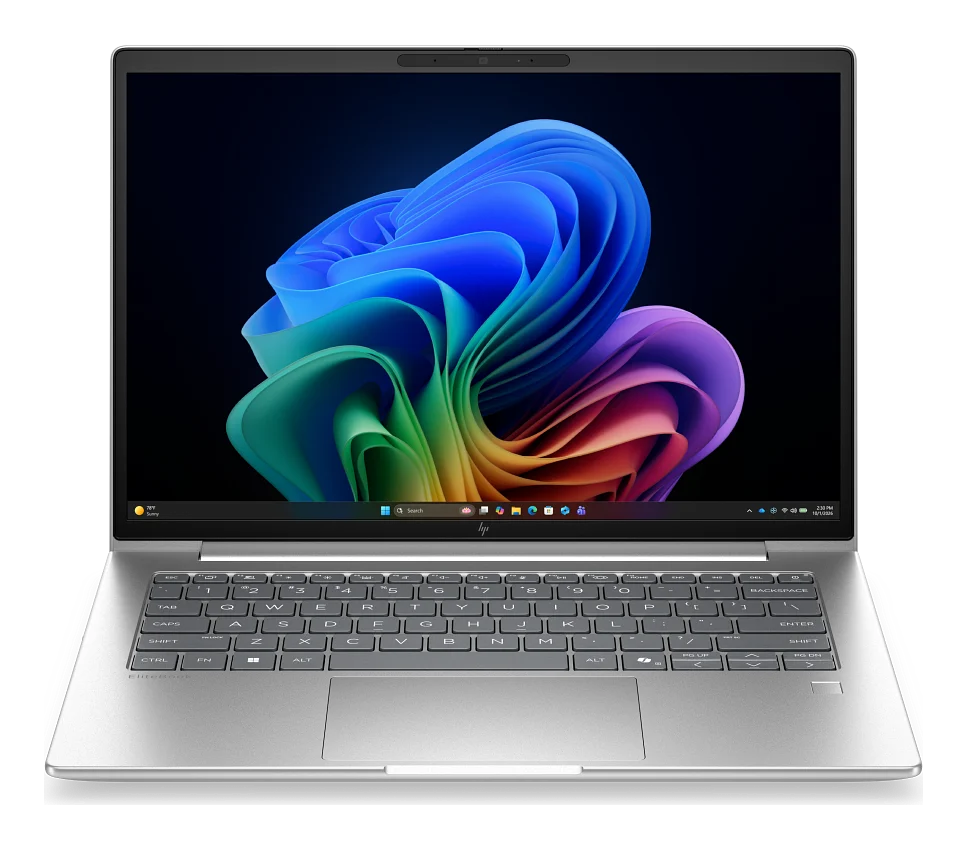
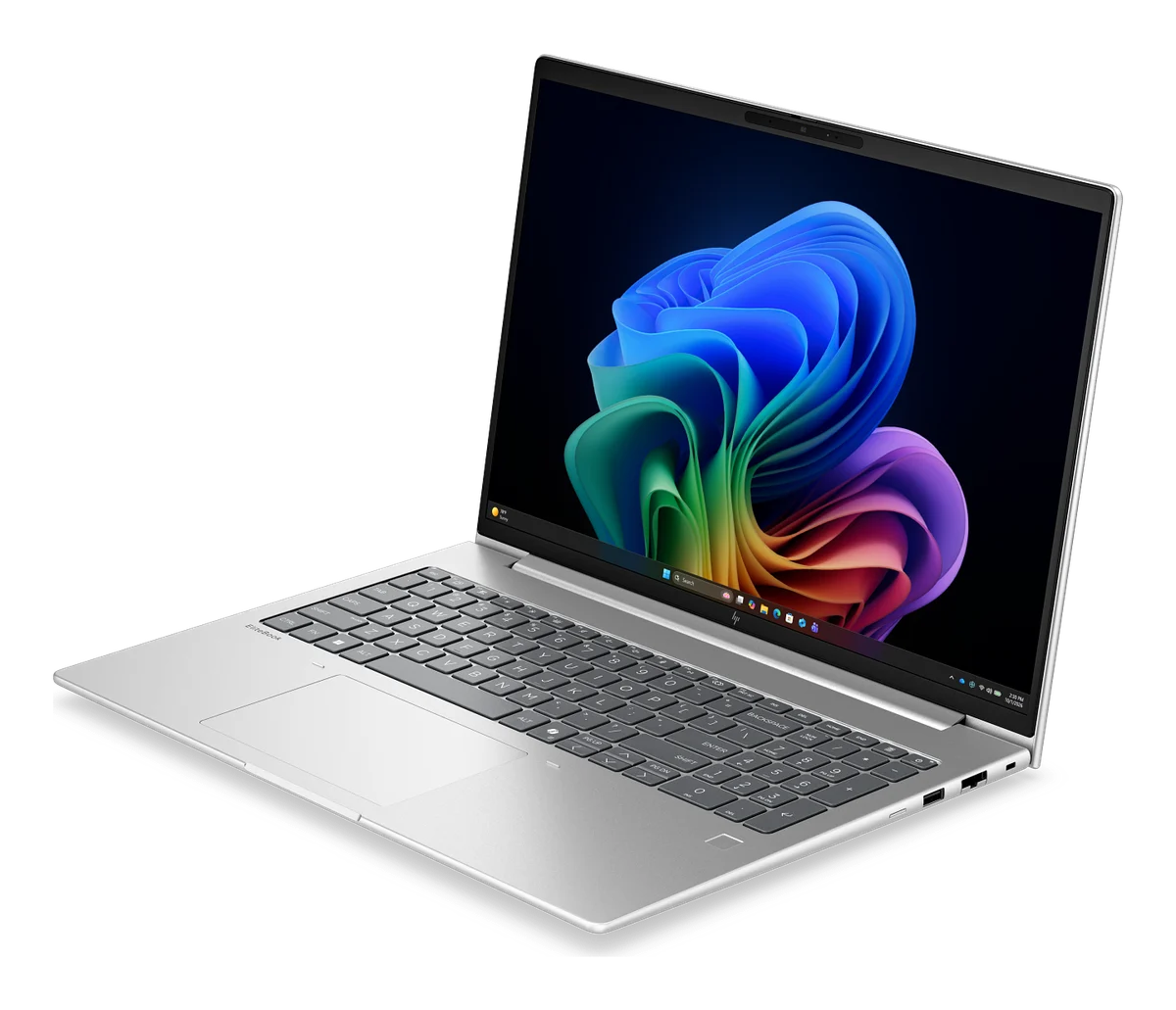
InnoReviews verdict
HP EliteBook 6 G2i 16 wins this laptop face-off, 48.6 to 46.7, pulling ahead mainly in performance (+6) and graphics (+3). HP EliteBook 6 G2a 14 still makes sense if its price or standout specs fit your needs better.
Key differences
Reasons to pick the HP EliteBook 6 G2a 14
- 19% lower weight: 1.4 kg vs 1.73 kg
Reasons to pick the HP EliteBook 6 G2i 16
- Stronger performance score: 54 vs 48
- 50% higher RAM: 24 GB vs 16 GB
- 33% higher peak brightness: 400 nits vs 300 nits
- 14% higher screen size: 16 ″ vs 14 ″
Which would you pick?
HP EliteBook 6 G2a 14 vs HP EliteBook 6 G2i 16: full specs
Display
| Spec | HP EliteBook 6 G2a 14 | HP EliteBook 6 G2i 16 |
|---|---|---|
| Screen size | 14 ″ | 16 ″+14% |
| Panel type | IPS, anti-glare (non-touch) | IPS, anti-glare, 100% sRGB |
| Resolution | 1920x1200 | 1920x1200 |
| Peak brightness | 300 nits | 400 nits+33% |
Performance
| Spec | HP EliteBook 6 G2a 14 | HP EliteBook 6 G2i 16 |
|---|---|---|
| Processor | AMD Ryzen AI 7 450 | Intel Core Ultra 7 366H |
| Graphics | AMD Radeon 860M (integrated) | Intel Graphics (integrated) |
| RAM | 16 GB | 24 GB+50% |
| RAM type | DDR5-5600 (SODIMM) | DDR5-5600 (SODIMM, upgradeable) |
| Storage | 512 GB | 512 GB |
| Storage type | PCIe NVMe M.2 SSD | PCIe Gen5 NVMe M.2 SSD |
Battery
| Spec | HP EliteBook 6 G2a 14 | HP EliteBook 6 G2i 16 |
|---|---|---|
| Capacity | 56 Wh | 56 Wh |
| Charging | 65 W | 65 W |
Design
| Spec | HP EliteBook 6 G2a 14 | HP EliteBook 6 G2i 16 |
|---|---|---|
| Weight | 1.4 kg+19% | 1.73 kg |
| Thickness | 17.5 mm | 17.5 mm |
| Material | Pike silver aluminum | Pike silver aluminum, at least 30% recycled metal |
Connectivity
| Spec | HP EliteBook 6 G2a 14 | HP EliteBook 6 G2i 16 |
|---|---|---|
| Ports | 2x Thunderbolt 4 (USB-C, 40Gbps, Power Delivery, DisplayPort 2.1), 2x USB-A 5Gbps, HDMI 2.1, RJ-45, 3.5mm combo jack, smart card reader | 2x Thunderbolt 4 (USB-C 40Gbps, Power Delivery, DisplayPort 2.1), 2x USB-A 5Gbps (powered), HDMI 2.1, RJ-45, 3.5mm combo jack, smart card reader |
| Wi-Fi | Wi-Fi 7 (MediaTek MT7925) | Wi-Fi 7 (Intel BE211) |
| Bluetooth | 6.0 | 6.0 |
| Webcam | 5 MP IR AI camera | 5 MP IR AI camera |
| Biometrics | Fingerprint reader, IR face recognition (Windows Hello) | Fingerprint reader and IR camera (Windows Hello) |
Software
| Spec | HP EliteBook 6 G2a 14 | HP EliteBook 6 G2i 16 |
|---|---|---|
| Operating system | Windows 11 Pro | Windows 11 Pro |
Quick answers
Which is better: HP EliteBook 6 G2a 14 or HP EliteBook 6 G2i 16?
HP EliteBook 6 G2i 16 wins this laptop face-off, 48.6 to 46.7, pulling ahead mainly in performance (+6) and graphics (+3). HP EliteBook 6 G2a 14 still makes sense if its price or standout specs fit your needs better.
How do the scores compare?
HP EliteBook 6 G2a 14 scores 46.7/100 overall; HP EliteBook 6 G2i 16 scores 48.6/100. HP EliteBook 6 G2a 14 wins 1 individual spec rows, HP EliteBook 6 G2i 16 wins 3.
What are the main differences between the HP EliteBook 6 G2a 14 and the HP EliteBook 6 G2i 16?
HP EliteBook 6 G2a 14 advantages: 19% lower weight: 1.4 kg vs 1.73 kg. HP EliteBook 6 G2i 16 advantages: Stronger performance score: 54 vs 48; 50% higher RAM: 24 GB vs 16 GB; 33% higher peak brightness: 400 nits vs 300 nits; 14% higher screen size: 16 ″ vs 14 ″.
Use this on your site or forum
Copy a ready-made link. Scores on this page update as new results are published, so the link always leads to the current figures.