Best Lightweight 13-Inch Gaming Laptops: Tested & Ranked
True 13-inch gaming laptops are an engineering anomaly that pushed thermal physics to the brink. Here are the compact machines that actually delivered real frame rates.
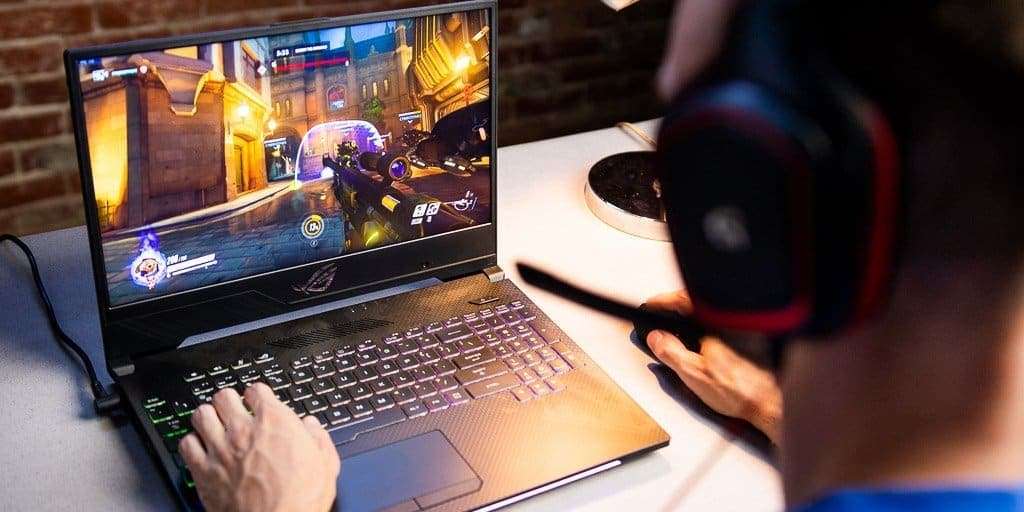
The Hard Truth About 13-Inch Gaming
True 13-inch gaming laptops are almost extinct, killed by basic thermal physics and the rise of ultra-efficient 14-inch designs. Squeezing a dedicated graphics card and a high-wattage processor into a three-pound aluminum shell leaves almost no room for heat pipes, vapor chambers, or air exhaust.
Yet, a few machines managed to conquer that thermal bottleneck. If you want a gaming rig that takes up no more desk space than a spiral notebook, your options split into two paths: modern convertible powerhouses like the ASUS ROG Flow X13, or iconic used-market clamshells like the Razer Blade Stealth 13. We tested the real-world performance, thermals, and trade-offs of the best compact machines ever built to see which ones are actually worth your cash.
Quick Picks
- The Undisputed 13-Inch King: ASUS ROG Flow X13 (RTX 4060 / 4070) — The only modern 13.4-inch machine packing high-end silicon and usable thermals.
- The Best Pure Clamshell (Used): Razer Blade Stealth 13 (Late 2020) — CNC aluminum perfection with a GTX 1650 Ti; grab one used for under $500.
- The Integrated Graphics Hero: Framework Laptop 13 (AMD Ryzen 7040/8040) — Modular, repairable, and surprisingly capable for 1080p esports via Radeon 780M graphics.
- The Smarter Alternative: ASUS ROG Zephyrus G14 — Barely larger, but delivers triple the graphics wattage for serious AAA gaming.
The Best 13-Inch Gaming Laptops Evaluated
1. ASUS ROG Flow X13 — The Modern Heavyweight
The ROG Flow X13 is the undisputed peak of 13-inch gaming hardware. ASUS managed what other manufacturers abandoned: fitting an AMD Ryzen 9 processor and up to an NVIDIA RTX 4070 laptop GPU into a 2.87-pound, 360-degree convertible chassis.
You run into thermal throttling if you push it on a soft surface, and the GPU operates at a modest 60W TGP (Total Graphics Power). But on a hard desk, it pushes smooth 60+ FPS in modern titles at 1200p or 1600p with DLSS enabled. The 13.4-inch 16:10 QHD+ 165Hz display is sharp and vivid. If you want brand-new hardware with modern warranty coverage in this exact form factor, stop looking—this is your only real choice.
2. Razer Blade Stealth 13 (Late 2020) — The Classic Icon
Before Razer shifted its focus entirely to the Blade 14, the Blade Stealth 13 represented the absolute pinnacle of traditional clamshell ultraportable design. The late-2020 refresh paired an Intel Core i7-1165G7 with a dedicated 35W NVIDIA GeForce GTX 1650 Ti Max-Q.
It will not run modern ray-traced monstrosities at high settings, but it rips through Valorant, CS:GO/CS2, Rocket League, and GTA V at 1080p well past 60 FPS. The CNC-milled aluminum chassis remains the best-built 13-inch frame ever made. On the used market today, these fetch between $450 and $600. Just keep an eye on battery health; older Blade batteries are notorious for swelling if run hot for years.
3. Framework Laptop 13 (AMD Edition) — The Modular Contender
The Framework 13 lacks a dedicated GPU, but models equipped with AMD Ryzen 7 7840U or 8840U processors feature the integrated Radeon 780M graphics engine. For lightweight gaming, that iGPU outpaces the older dedicated MX-series and GTX 1050 chips found in early thin-and-light gaming laptops.
You get an easily repairable machine, user-replaceable ports, and standard M.2 2280 NVMe storage upgrades. It handles indie gems like Hades II, Dead Cells, and Hollow Knight at native resolution without breaking a sweat, while keeping fan noise far lower than older dedicated machines.
13-Inch Gaming Hardware Comparison
| Laptop Model | Weight | GPU Options | Display Specs | Typical Price (New / Used) |
|---|---|---|---|---|
| ASUS ROG Flow X13 (2023+) | 2.87 lbs | RTX 4050 / 4060 / 4070 (60W) | 13.4" QHD+ 165Hz IPS | $1,200 – $1,800 (New) |
| Razer Blade Stealth 13 (2020) | 3.11 lbs | GTX 1650 Ti Max-Q (35W) | 13.3" FHD 120Hz or 4K OLED | $450 – $600 (Used) |
| Framework Laptop 13 (AMD) | 2.86 lbs | Radeon 780M / 880M (Integrated) | 13.5" 2256x1504 60Hz / 2.8K 120Hz | $850 – $1,150 (New) |
| Surface Book 2 13.5" (Legacy) | 3.38 lbs | GTX 1050 2GB (Detachable) | 13.5" 3000x2000 60Hz Touch | $250 – $350 (Used) |
Why 14-Inch Laptops Won the War
Physics is an unforgiving design partner. A 13.3-inch chassis restricts total platform thermal dissipation to roughly 65W to 80W combined across the CPU and GPU. Step up to a 14-inch footprint like the ASUS ROG Zephyrus G14 or Razer Blade 14, and thermal headroom jumps to 125W–140W.
That slight physical expansion allows for dual vapor chambers, larger exhaust fans, and full-power graphics silicon that runs up to 300% faster in actual game rendering. Unless your backpack strictly caps out at 13 inches, modern 14-inch machines offer dramatically better value, quieter acoustics, and longer component lifespans.
What to Check When Buying a Used 13-Inch Rig
If you pick up a used Blade Stealth 13 or older Surface Book, run these hardware checks immediately:
- Check for Battery Bloat: Place the laptop closed on a flat desk. If it rocks back and forth or the trackpad is stiff and hard to click, the battery has swollen and needs instant replacement.
- Verify Soldered RAM: Almost all 13-inch ultraportables use soldered LPDDR memory. Do not buy an 8GB model for gaming; modern Windows installations and background tasks leave zero headroom for games. Insist on 16GB or 32GB configurations.
- Repaste the Thermals: Factory thermal paste dries into crust after three years. Opening up a used machine and applying a fresh coat of high-viscosity paste like PTM7950 or Thermal Grizzly Kryonaut often drops peak temperatures by 8°C to 12°C.
FAQ
Can a 13-inch laptop actually run modern AAA games?
Yes, but with caveats. A modern unit like the ROG Flow X13 with an RTX 4060 can run current AAA titles at 1080p/1200p with medium-to-high settings and DLSS enabled. Older 13-inch laptops with GTX 1650 Ti or integrated graphics require dropping settings to low, enabling dynamic resolution scaling, or sticking to competitive esports and indie games.
Why did Razer stop making the Blade Stealth 13?
Razer retired the Stealth line because AMD and NVIDIA chips became powerful enough to justify full-power 14-inch gaming laptops. The Razer Blade 14 offered vastly superior cooling, 100W+ GPUs, and higher refresh rates in a body that was only marginally larger and roughly half a pound heavier.
Is integrated graphics good enough for 13-inch gaming now?
For casual, indie, and esports gaming, yes. Modern integrated solutions like AMD's Radeon 780M/880M and Intel Arc integrated graphics easily beat older entry-level dedicated chips like the NVIDIA MX150 or GTX 960M. They pull far less power, run cooler, and give you solid 45–60 FPS performance in titles like Diablo IV, Overwatch 2, and Fortnite at lowered settings.