Best Motherboard for i7-6700K in 2026
If your original LGA 1151 board died or you scored a cheap Core i7-6700K second-hand, these Z170 and Z270 boards offer the best stability and overclocking value.
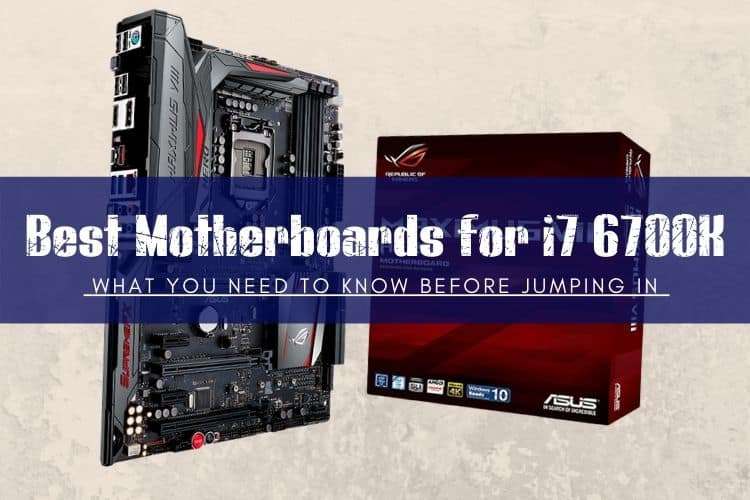
The Best LGA 1151 Motherboards at a Glance
Buying a motherboard for an Intel Core i7-6700K today means shopping the second-hand market. New retail stock vanished years ago, so your goal is finding reliable, well-cooled Z170 or Z270 boards on eBay or hardware forums for $40 to $80 without overpaying.
If you need a quick verdict, here are the top options to search for:
- Best Overall for Overclocking: ASUS ROG Maximus VIII Hero (Aim to pay: $70–$90 used)
- Best Value All-Rounder: ASUS Z170-A (Aim to pay: $45–$60 used)
- Best Mid-Range Alternative: Gigabyte GA-Z170X-Gaming 3 (Aim to pay: $40–$55 used)
- Best Drop-In Z270 Option: MSI Z270-A Pro / Gaming Pro Carbon (Aim to pay: $50–$70 used)
What Chipset Do You Actually Need for an i7-6700K?
The Core i7-6700K uses the original LGA 1151 socket (often called LGA 1151v1). It drops directly into Intel 100-series (Z170, H170, B150, H110) and 200-series (Z270, H270, B250) motherboards. Do not buy 300-series boards like Z370 or Z390; despite having the same physical pin count, Intel broke electrical compatibility for 8th and 9th Gen chips.
Because the i7-6700K has an unlocked multiplier, you need a Z170 or Z270 motherboard if you plan to overclock. Non-Z boards (like B150 or H110) will run the chip fine at stock clocks (4.0 GHz base, 4.2 GHz turbo), but they lock your memory to DDR4-2133 speeds and disable CPU multiplier tweaking. If a basic B150 board is $25 and you just need an office rig running, take it. Otherwise, hold out for a Z-series board.
Top Motherboard Picks for the Core i7-6700K
1. ASUS ROG Maximus VIII Hero (Best Premium Overclocker)
The ROG Maximus VIII Hero remains one of the best Skylake boards ever made. Its 10-phase power delivery handles heavy 4.6 GHz to 4.8 GHz overclocks on the i7-6700K without sweating, and the hefty VRM heatsinks stay cool under sustained loads. It also features clean SupremeFX audio, a dedicated POST code display for troubleshooting, and handy on-board power and reset buttons.
Expect to pay around $70 to $90 for a used unit in good condition. We would avoid paying over $100; past that price point, you are throwing good money after old silicon.
2. ASUS Z170-A (Best Value Workhorse)
The ASUS Z170-A was the most popular mid-range Skylake board for good reason. It offers an easy-to-navigate UEFI BIOS, an 8+2 phase digital VRM, a PCIe Gen3 x4 M.2 slot, and USB 3.1 Type-A and Type-C connectivity on the rear I/O. It pushes a 6700K to 4.5 GHz with zero fuss.
The white plastic I/O shroud looks dated to some, but mechanically this board holds up well. You can routinely find working pulls on eBay for $50. Just verify that the seller includes the rear I/O shield, as replacements cost $10 on their own.
3. Gigabyte GA-Z170X-Gaming 3 (Solid Budget Competitor)
Gigabyte built the GA-Z170X-Gaming 3 with dual PCIe 3.0 M.2 slots—a rare feature in its price tier at launch—and a solid Realtek ALC1150 audio setup with swappable OP-AMPs. It delivers reliable power delivery for moderate overclocks and features metal shielding on the primary PCIe slots to prevent GPU sag.
The UEFI layout is clunkier than ASUS's setup, but once your fan curves and XMP profiles are set, it runs reliably. Target price: $45 to $55 used.
4. MSI Z270 Gaming Pro Carbon / Z270-A Pro (The 200-Series Alternative)
Z270 boards launched alongside Kaby Lake (7th Gen) but are 100% backward compatible with the 6700K out of the box with no BIOS update needed. The MSI Z270 series boards feature improved memory routing compared to early Z170 boards, making it easier to run DDR4 kits at 3200 MHz or 3600 MHz without stability headaches.
If you find an MSI Z270 board priced alongside Z170 alternatives, grab the Z270. It offers extra PCIe lanes on the chipset and better high-speed M.2 drive support.
Motherboard Comparison for Core i7-6700K
| Motherboard | Chipset | Form Factor | VRM Layout | Typical Used Price |
|---|---|---|---|---|
| ASUS ROG Maximus VIII Hero | Z170 | ATX | 10-Phase | $70 – $90 |
| ASUS Z170-A | Z170 | ATX | 8+2 Phase | $45 – $60 |
| Gigabyte GA-Z170X-Gaming 3 | Z170 | ATX | 7-Phase | $40 – $55 |
| MSI Z270 Gaming Pro Carbon | Z270 | ATX | 10-Phase | $55 – $75 |
| ASRock B150M Pro4 (Non-OC) | B150 | Micro-ATX | 6-Phase | $30 – $40 |
Buying a Replacement Board vs. Modern Platform Upgrade
Before spending $70 or more on a used LGA 1151 board, look at modern budget alternatives. The Core i7-6700K is a 4-core, 8-thread CPU from 2015. In modern games and production tasks, an entry-level $85 Intel Core i3-12100F or $95 AMD Ryzen 5 5600 crushes the 6700K while using less power and supporting Windows 11 natively without registry workarounds.
Here is our practical rule: if you can fix your rig with a reliable $40 to $55 used Z170 board and you already have DDR4 RAM, a good cooler, and an adequate GPU, fixing the 6700K setup makes financial sense. If fixing it will cost you over $100 for parts, put that money toward a budget B660/B760 or B550 platform instead.
Frequently Asked Questions
Will an Intel Core i7-6700K work on a Z370 or Z390 motherboard?
No. Even though Z370 and Z390 motherboards share the same 1151-pin socket, Intel modified the pinouts for 8th and 9th Gen Coffee Lake CPUs. The i7-6700K only works on 100-series (Z170, H170, B150, H110) and 200-series (Z270, H270, B250) motherboards unless you run unofficial, modified BIOS configurations.
Does the i7-6700K officially support Windows 11?
No. Microsoft's official Windows 11 hardware compatibility list requires 8th Gen Intel Core processors or newer. While you can install Windows 11 on an i7-6700K using Rufus or standard bypass registry keys, Windows 10 remains the only officially supported operating system for this generation.
Can I run fast DDR4 RAM on a Z170 board with an i7-6700K?
Yes, but with limits. While the CPU officially specs DDR4-2133, a Z170 or Z270 board lets you enable XMP profiles. Most 6700K integrated memory controllers easily handle DDR4-3000 or DDR4-3200 kits. Going above 3466 MHz or 3600 MHz often leads to stability issues on Skylake silicon, so stick to 3200 MHz CL16 for the most reliable results.