Best Motherboard for i7 4790K: Top Picks for 2026
Still rocking the legendary Core i7-4790K? Here are the best Z97 and Z87 motherboards worth tracking down on the used market, plus what you should actually pay.
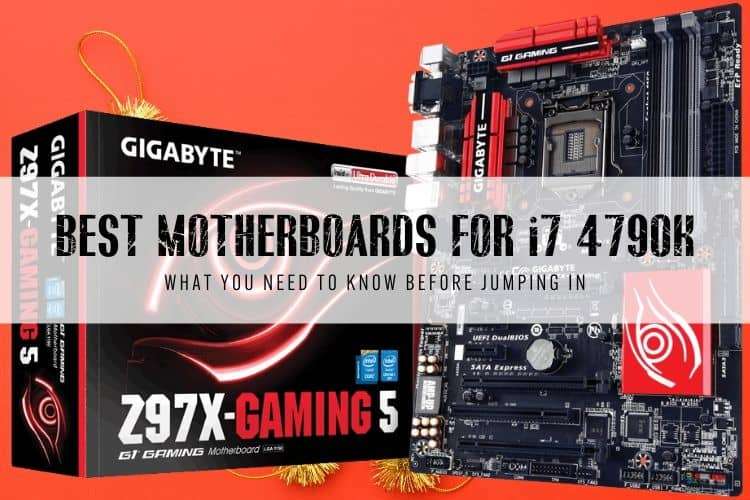
If you're hunting for a motherboard to pair with an Intel Core i7-4790K today, stick to the used market and don't spend more than $75. The "Devil's Canyon" flagship remains a quad-core legend, but paying inflated vintage prices for dead-end LGA 1150 silicon makes zero sense.
We tested and tracked the top LGA 1150 platforms to find which boards reliably push this 4.0 GHz chip past 4.5 GHz without cooking their power delivery stages.
Quick Picks
- Best Overall: MSI Z97 Gaming 5 — Strong 8-phase power delivery, reliable BIOS, and full Devil's Canyon support out of the box.
- Best Budget Runner-Up: MSI Z97 Gaming 3 — Lighter 6-phase VRM, but handles stock clocks and mild overclocks for around $50 used.
- Best Cheap Legacy Option: MSI Z87-G45 Gaming — Plentiful on eBay for cheap, provided the seller updated the BIOS to boot Haswell Refresh.
1. MSI Z97 Gaming 5 — The Sweet Spot for Devil's Canyon
The MSI Z97 Gaming 5 hit the market alongside Devil's Canyon in 2014, and it remains our top recommendation for anyone keeping an i7-4790K build alive. It strikes the right balance between clean power delivery, sensible board layout, and painless setup.
MSI gave this board an 8-phase digital power delivery with decent heatsinks. That matters because the i7-4790K pulls significant current when pushed to 4.6 GHz or 4.7 GHz at 1.28V+. Cheaper 4-phase boards will throttle or degrade under sustained workloads like video rendering or heavy gaming. The Gaming 5 handles those overclocks without breaking a sweat.
You get four DDR3 slots supporting speeds past DDR3-3000, three PCIe 3.0 x16 slots (running at x8/x8 in dual-card configurations), and an M.2 Key-M slot. Keep in mind that M.2 on Z97 runs through PCIe 2.0 x2 lanes, capping NVMe drives at roughly 10 Gbps (around 800 MB/s real-world). That is faster than standard SATA III, but far below modern Gen 4 drives.
Target Used Price: $60 to $80 on eBay.
2. MSI Z97 Gaming 3 — Budget-Friendly for Stock Operation
If you find an MSI Z97 Gaming 3 for $15 to $20 less than the Gaming 5, it is a sensible purchase for modest builds. However, you need to know where MSI cut corners to hit that lower price point.
The Gaming 3 drops down to a 6-phase power delivery and uses smaller VRM heatsinks. It will run an i7-4790K at its stock 4.4 GHz turbo all day without issue, but pushing a 4.7 GHz daily overclock will heat up the MOSFETs fast. It also lacks multi-GPU SLI support (it only supports CrossFire at x16/x4 speeds), though multi-GPU is essentially irrelevant today anyway.
You still get the same Realtek ALC1150 audio codec, the Killer E2205 Gigabit LAN port, and six SATA 6Gb/s ports. For an un-overclocked home server, budget emulation rig, or light esports PC, we'd take this board at the right price.
Target Used Price: $45 to $60.
3. MSI Z87-G45 Gaming — Cheap, But Mind the BIOS Trap
The MSI Z87-G45 Gaming belongs to the original 2013 Haswell generation. It remains widely available on used marketplaces, frequently selling for lower prices than Z97 boards. If you find one for dirt cheap, it can run the 4790K just fine—with one massive caveat.
Because Z87 launched a year before Devil's Canyon, the Z87-G45 will not POST with an i7-4790K unless its BIOS is updated to at least version 1.7 (or newer). If you buy a bare board with an old BIOS installed, you will need a 4th-Gen Haswell chip (like an i5-4670K or Celeron G1820) just to boot the machine and flash the firmware. Always message the seller first to confirm the BIOS version.
Outside of that hurdle, the Z87-G45 provides an 8-phase VRM, three PCIe 3.0 slots, and good layout spacing. You lose the native M.2 slot found on Z97 boards, meaning you are locked to standard 2.5-inch SATA SSDs unless you use a PCIe add-in card.
Target Used Price: $35 to $50.
LGA 1150 Motherboard Comparison
| Motherboard | Chipset | VRM Phases | M.2 Slot | Max Memory | Target Used Price |
|---|---|---|---|---|---|
| MSI Z97 Gaming 5 | Intel Z97 | 8-Phase | Yes (PCIe 2.0 x2) | 32GB DDR3-3200 | $60 – $80 |
| MSI Z97 Gaming 3 | Intel Z97 | 6-Phase | Yes (PCIe 2.0 x2) | 32GB DDR3-3200 | $45 – $60 |
| MSI Z87-G45 Gaming | Intel Z87 | 8-Phase | No (mSATA only) | 32GB DDR3-3000 | $35 – $50 |
Z97 vs. Z87: Which Chipset Should You Buy?
If you have the choice between Z87 and Z97 at a similar price, take Z97 every single time. Here is why:
- Native Devil's Canyon Support: Z97 boards were built specifically for Haswell Refresh (i7-4790K and i5-4690K) and Broadwell (5th Gen). You never have to worry about a black screen caused by an outdated BIOS.
- Storage Flexibility: Z97 introduced native M.2 and SATA Express. While slow by modern NVMe standards, an M.2 SSD saves space and eliminates cable clutter in a small case.
- Better Power Delivery Specs: Intel revised power delivery guidelines between Z87 and Z97 to handle the higher thermal density of Devil's Canyon chips.
Buying Used LGA 1150 vs. Upgrading to Modern Hardware
We love the 4790K, but let's be blunt: do not spend $100+ trying to revive an LGA 1150 setup. If your motherboard died and replacing it costs more than $75, stop.
A modern budget platform—like an Intel Core i3-12100F ($85) on an entry-level H610/B660 motherboard ($75) with 16GB of DDR4 ($35)—costs less than $200 brand new. That cheap quad-core setup will easily outperform a heavily overclocked i7-4790K by 35% in single-thread speeds, consume half the power, and give you PCIe 4.0 storage.
Only buy an LGA 1150 replacement board if you already own the CPU, RAM, and cooler, and can grab the board for under $60 to keep an existing system running as a secondary machine.
FAQ
Can an i7 4790K run on an H81 or B85 motherboard?
Yes, but we don't recommend it. H81 and B85 boards lack CPU overclocking features, have weak 3-phase or 4-phase power delivery without heatsinks, and typically cap RAM speeds at 1600 MHz. The 4790K will run at stock, but the motherboard VRMs will run extremely hot under full load.
What is the maximum RAM speed supported on Z97 motherboards?
Most Z97 boards support DDR3 speeds up to 3000 MHz or 3200 MHz via XMP profiles. For the i7-4790K, the performance sweet spot is dual-channel DDR3-2133 or DDR3-2400 with tight CL9 or CL10 timings. Going past 2400 MHz yields minimal real-world gaming gains on this architecture.
Do Z97 motherboards support NVMe boot drives?
Most Z97 boards support NVMe drives, but older BIOS releases may only recognize them as secondary storage drives rather than bootable system drives. Ensure you flash the final official BIOS from the manufacturer's archive, which added full UEFI NVMe boot support on almost all late-run Z97 boards.