Best Motherboards for i9-9900K in 2026
Pairing an Intel Core i9-9900K with a cheap motherboard leads to thermal throttling and wasted performance. Here are the top Z390 boards worth hunting down on the used market.
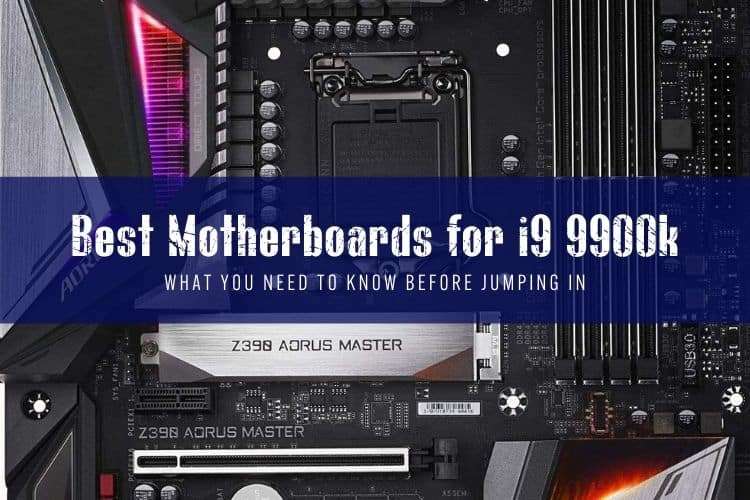
If you are running an Intel Core i9-9900K today, you already know it is an aggressive, power-hungry eight-core chip that easily pulls over 200 watts under load. Sticking this processor onto a budget board with weak power delivery guarantees thermal throttling and unstable clocks.
Because the LGA 1151 socket is discontinued, finding a motherboard for the 9900K now means navigating the secondhand market or picking up refurbished stock. You want heavy-duty VRMs, functional heatsinks, and a reliable BIOS without overpaying.
Quick Picks for the i9-9900K
- Best Overall: Gigabyte Z390 Aorus Master — Genuine finned heatsinks and high-end 12-phase IR power stages.
- Best for Memory & Tuning: ASUS ROG Maximus XI Hero — Polished UEFI and rock-solid memory traces.
- Best Storage Expansion: ASRock Z390 Taichi — Triple M.2 slots, 8 SATA ports, and dual Gigabit LAN.
- Best Value Pick: ASUS ROG Strix Z390-E Gaming — Clean layout, good audio, and readily available used for under $100.
The Best Motherboards for Intel Core i9-9900K
Gigabyte Z390 Aorus Master — Best Overall Pick
Gigabyte dominated the Z390 generation in power delivery, and the Aorus Master remains the top board for running an overclocked 9900K at 5.0 GHz all-core. It uses a genuine 12-phase digital VRM with 40A IR3553 PowIRstage MOSFETs paired with actual finned heatsinks and a direct-touch heatpipe. Under full Prime95 loads, VRM temperatures rarely break 65°C.
Beyond power delivery, you get three M.2 slots with thick thermal guards, an integrated ESS Sabre DAC for onboard audio, and a reinforced backplate that gives the board structural rigidity. The BIOS interface is somewhat clunky compared to ASUS, but for raw component quality and thermal headroom, nothing beats it in this class.
ASUS ROG Maximus XI Hero — Best for BIOS & Tuning
The Maximus XI Hero is built for users who want effortless overclocking controls and bulletproof memory support. ASUS used a twin 8-phase VRM architecture here (four phases running paired Vishay power stages). While it runs warmer than the Aorus Master, it handles 200W+ sustained draw reliably as long as your case has moderate airflow.
Where the Maximus XI Hero shines is in daily stability and firmware. ASUS's UEFI is the easiest to dial in, whether you want an adaptive voltage profile or custom fan curves via Fan Xpert 4. You get dual M.2 slots, pre-mounted I/O shielding, SupremeFX S1220 audio, and plenty of water-cooling telemetry headers.
ASRock Z390 Taichi — Best Expansion & Port Selection
The Z390 Taichi is an expansion powerhouse. If you are repurposing your i9-9900K into a home server, audio production rig, or multi-drive workstation, this board delivers where others cut corners. It packs three full-speed PCIe 3.0 x4 M.2 slots and eight SATA III ports without requiring add-in cards.
Power delivery uses a 10+2 phase digital PWM setup driven by an IR35201 controller with doublers. It runs cool enough for moderate overclocks, though the gear-themed chipset aesthetic remains polarizing. Dual Intel Gigabit LAN ports and an integrated Intel 802.11ac Wi-Fi module complete a practical, hard-working package.
MSI MEG Z390 ACE — Best Feature Balance
MSI's MEG Z390 ACE sits in the premium bracket with a 13-phase VRM layout that keeps sustained voltages steady. It features MSI's Shield Frozr M.2 heatsinks on all three NVMe slots and incorporates a physical hardware dial on the board for quick multi-step automated overclocks.
It also features a 2.5G Killer Ethernet controller alongside standard Intel Gigabit LAN, making it appealing for local network file transfers. Audio output is powered by dual Realtek ALC1220 processors with dedicated headphone amplifiers. If you find one used in good condition with the original accessories, it is an easy recommendation.
ASUS ROG Strix Z390-E Gaming — Best Value Pick
For builders shopping on a strict budget, the ROG Strix Z390-E offers the core ROG software experience at a much lower price on secondhand marketplaces. It features a paired 4x2 phase CPU power design, dual M.2 slots, integrated Wi-Fi, and clean I/O connectivity.
We would skip heavy manual overclocks past 4.9 GHz on this board because the VRM heatsinks are solid aluminum blocks without fins. However, at stock settings or with a modest multi-core enhancement profile, it powers the i9-9900K through demanding gaming sessions without instability.
Z390 Motherboard Comparison
| Motherboard | Form Factor | VRM Layout | M.2 Slots | Typical Used Price |
|---|---|---|---|---|
| Gigabyte Z390 Aorus Master | ATX | 12-Phase (IR3553 40A) | 3 | $120 – $150 |
| ASUS ROG Maximus XI Hero | ATX | 8-Phase (Twin) | 2 | $110 – $140 |
| ASRock Z390 Taichi | ATX | 10+2 Phase (IR35201) | 3 | $100 – $130 |
| MSI MEG Z390 ACE | ATX | 12+1 Phase | 3 | $115 – $145 |
| ASUS ROG Strix Z390-E | ATX | 8+2 Phase (Twin) | 2 | $85 – $110 |
What to Check When Buying a Used Z390 Board
Because retail inventory for LGA 1151 boards dried up years ago, you will almost certainly buy your board on platforms like eBay, HardwareSwap, or local classifieds. Keep these specific failure points in mind:
- Socket Pins: Inspect high-resolution photos of the CPU socket. Bent or broken LGA 1151 pins cause memory channel failures or boot loops.
- VRM Thermal Pads: Motherboards that ran hot 24/7 often have dried-out thermal pads beneath the VRM heatsinks. Plan on spending $10 for fresh 1.0mm or 1.5mm pads if temps look high.
- CMOS Battery: The CR2032 coin cell on an older board is likely dead. Pop in a fresh battery before first boot to prevent BIOS settings from clearing on power loss.
- BIOS Version: If you buy a Z370 board instead of Z390, make sure the seller updated the BIOS to support 9th Gen chips, or you will need an 8th Gen CPU just to flash it.
Should You Buy a Z390 Board or Replace the Platform?
Before spending $130 or more on a replacement Z390 motherboard, weigh your options. A modern budget CPU—such as an Intel Core i5-13400F or AMD Ryzen 5 7600—outperforms the Core i9-9900K in single-threaded tasks and gaming while drawing half the power under typical conditions.
If you already own an i9-9900K, fast DDR4 memory, and a stout CPU cooler, picking up a used Z390 board for around $90 to $110 keeps your system running cost-effectively. But if you have to buy both the CPU and motherboard together, skip the 9900K entirely and invest that cash in an AM5 or LGA 1700 platform with a clear upgrade path.
Frequently Asked Questions
Can I run an i9-9900K on a Z370 motherboard?
Yes. The i9-9900K works on Z370 motherboards, provided the board has a BIOS version released in late 2018 or later that adds 9th Gen support. Keep in mind that many entry-level Z370 boards have weak 4-phase VRMs designed for 6-core chips, so pick a higher-end model like the ASRock Z370 Taichi or ASUS Maximus X Hero to prevent VRM throttling.
What wattage power supply do I need for an i9-9900K and Z390 motherboard?
You should use at least a 650W 80-Plus Bronze or Gold power supply for a basic system. If you pair the 9900K with a modern power-hungry graphics card like an RTX 3080, RTX 4070 Ti, or higher, step up to a 750W or 850W unit to handle transient spikes safely.
Does the i9-9900K support PCIe 4.0 on Z390 motherboards?
No. The Intel 9th Gen desktop architecture and the Z390 chipset are strictly limited to PCIe 3.0 bandwidth. While modern PCIe 4.0 and PCIe 5.0 graphics cards and NVMe SSDs work fine on Z390 boards due to backwards compatibility, they will run at PCIe 3.0 speeds.