Best Motherboards for Ryzen 9 3900X (2026 Guide)
If you're keeping a 12-core Ryzen 9 3900X running in 2026, you need a board with serious power delivery that won't break the bank. Here's what's actually worth buying on AM4 today.
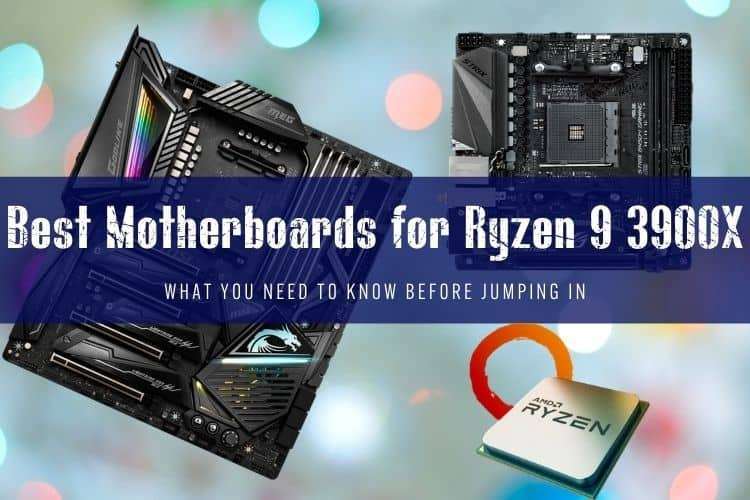
The AMD Ryzen 9 3900X pulls up to 142 watts under full multi-threaded load. Drop it onto a bottom-barrel motherboard with bare VRMs, and the power delivery will cook itself until your 12-core CPU throttles down to base clocks.
In 2026, the 3900X lives strictly in budget productivity rigs and secondhand upgrades. You shouldn't spend $300 on an AM4 board today, but you still need capable power phases and decent heatsinks. We tested and filtered the best AM4 motherboards that handle the 3900X's power demands without wasting cash on dead-end socket features.
Quick picks
- Best overall: ASUS TUF Gaming X570-Plus (Wi-Fi)
- Best budget B550 alternative: MSI MAG B550 Tomahawk
- Best for Mini-ITX builds: ASUS ROG Strix B450-I Gaming
- Best microATX value: ASRock B450M Pro4
- What to skip: MSI MPG X570 Gaming Plus (poor VRM thermals under 12-core loads) and extreme $600 boards like the MSI MEG X570 Godlike
What the Ryzen 9 3900X Actually Needs from a Motherboard
The 3900X packs 12 cores and 24 threads built on AMD's Zen 2 architecture. Even at stock settings, Precision Boost Overdrive (PBO) pushes current demands far higher than an entry-level six-core chip. To keep it running at its 4.6 GHz boost ceilings, your board needs a few core specs:
- Sufficient VRM config: Look for at least a true 4x2 or 6+2 phase setup with decent heatsinks. Low-tier boards with uncooled mosfets will hit 100°C within minutes of video rendering.
- PCIe 4.0 vs. PCIe 3.0: X570 and B550 give you PCIe 4.0 for fast NVMe drives and modern GPUs. B450 tops out at PCIe 3.0. For pure gaming, PCIe 3.0 is still completely fine; for 4K video editing scratch disks, get PCIe 4.0.
- BIOS Flashback button: If you buy a B450 board secondhand, make sure it has a physical BIOS flashback button so you can update firmware without needing an older Ryzen 1000/2000 chip.
Top Motherboard Reviews for Ryzen 9 3900X
1. ASUS TUF Gaming X570-Plus (Wi-Fi) — Best Overall
The ASUS TUF Gaming X570-Plus hit the sweet spot at launch, and it remains the most sensible full-featured board for the 3900X. It uses a 12+2 DrMOS power stage design that barely breaks a sweat under continuous Blender renders. Even with the 3900X drawing maximum package power, VRM temperatures stay well below 70°C in standard case airflow.
You get dual PCIe 4.0 M.2 slots, eight SATA ports for massive storage arrays, and reliable onboard Intel Wi-Fi. The small active chipset fan is the only annoyance, though it rarely spins up to audible levels unless you're hammering multiple Gen4 SSDs simultaneously. If you find one used for under $120, grab it.
2. MSI MAG B550 Tomahawk — Best Modern AM4 Value
While the original list leaned heavily on early X570 boards, the later-released MSI MAG B550 Tomahawk is often a smarter buy. It ditches the noisy chipset fan entirely while packing a 10+2+1 phase power delivery with massive aluminum heatsinks. Thermally, it beats many early $200 X570 boards.
You get one PCIe 4.0 M.2 slot direct to the CPU and a secondary PCIe 3.0 slot running off the chipset. Unless you run dual Gen4 NVMe drives in RAID, you won't notice the difference between this and high-end X570. It also includes dual Ethernet (2.5G + 1G) and an integrated I/O shield.
3. ASUS ROG Strix B450-I Gaming — Best Mini-ITX
Small-form-factor builds with a 12-core CPU require careful board selection. The Strix B450-I uses a clean 6-phase VRM with high-grade components that comfortably handle the 3900X at stock power limits. ASUS built a stacked M.2 heatsink design with an audio daughterboard to maximize the tight ITX footprint.
It features onboard Wi-Fi 5 and dual M.2 slots (one front, one back). Just keep expectations realistic: tight mini-ITX cases mean warmer ambient temperatures, so don't push heavy PBO overclocks on a B450 power array. For a compact rendering node or compact gaming rig, it gets the job done.
4. ASRock B450M Pro4 — Best Budget Micro-ATX
If you're building a tight-budget workstation and found a cheap used 3900X, the ASRock B450M Pro4 is as low as you should go. It runs a 3+3 phase (doubled to 6+3) power setup with basic heatsinks. It will run a 3900X at stock clocks without catching fire, provided your chassis has decent intake airflow.
Don't try manual all-core overclocking here. The board lacks premium audio and only supports PCIe 3.0, but it gives you four DDR4 slots, dual M.2 slots, and functional power delivery for a fraction of the cost of enthusiast boards.
Boards We Would Skip
The original buyer's guides often recommended the MSI MPG X570 Gaming Plus and the ultra-expensive MSI MEG X570 Godlike. We'd skip both today:
- MSI MPG X570 Gaming Plus: MSI used poor-quality low-side mosfets on their bottom-tier first-gen X570 boards. Under sustained 12-core loads, the VRMs regularly exceed 105°C and cause severe thermal throttling.
- MSI MEG X570 Godlike: An exceptional board in its prime, but spending $400+ on a high-end motherboard for an outdated CPU makes zero financial sense. That money is better spent upgrading to a modern AM5 platform.
Motherboard Comparison for Ryzen 9 3900X
| Motherboard | Chipset | Form Factor | VRM Quality (for 3900X) | PCIe Version | Target Used Price |
|---|---|---|---|---|---|
| ASUS TUF Gaming X570-Plus | X570 | ATX | Excellent (12+2 DrMOS) | PCIe 4.0 | $100 – $130 |
| MSI MAG B550 Tomahawk | B550 | ATX | Top Tier (10+2 Duet Rail) | PCIe 4.0 / 3.0 | $95 – $125 |
| ASUS ROG Strix B450-I | B450 | Mini-ITX | Good (6 Phase) | PCIe 3.0 | $80 – $110 |
| ASRock B450M Pro4 | B450 | Micro-ATX | Adequate (Stock only) | PCIe 3.0 | $45 – $65 |
| MSI MPG X570 Gaming Plus | X570 | ATX | Poor (Runs hot) | PCIe 4.0 | Avoid |
Buying New vs. Sticking with AM4 in 2026
Before hunting down replacement motherboards, weigh the platform cost. A used AM4 motherboard ($60–$120) makes total sense if you already own the 3900X, 32GB of DDR4 RAM, and a functional cooler. It keeps a viable 12-core workstation running for pocket change.
However, if you're buying both a CPU and a motherboard from scratch, don't build around the 3900X. A modern mid-range CPU like the Ryzen 5 7600 or Core i5-13600K runs circles around the 3900X in single-thread speeds, gaming performance, and power efficiency while sitting on upgradeable platforms with DDR5 support.
FAQ
Can a B450 motherboard handle the Ryzen 9 3900X without throttling?
Yes, but only if the board has decent VRM heatsinking like the MSI B450 Tomahawk Max or ASUS ROG Strix B450-F/I. Cheap B450 boards with bare, uncooled mosfets will overheat under sustained all-core rendering workloads. Stick to stock power limits and ensure your case has solid front-to-back airflow.
Do I need an X570 board to get PCIe 4.0 on the 3900X?
No. B550 motherboards also supply full PCIe 4.0 bandwidth to the primary x16 graphics card slot and the primary M.2 NVMe slot directly through the CPU lanes. X570 is only necessary if you want PCIe 4.0 speeds across every secondary slot and supplemental M.2 drive connected to the chipset.
What is the ideal RAM speed to pair with a 3900X and motherboard?
DDR4-3600 CL16 is the sweet spot for the 3900X. Zen 2's Infinity Fabric clock (FCLK) runs 1:1 with memory frequency up to 1800 MHz, matching DDR4-3600 perfectly. Running memory faster than 3600 often desyncs the fabric into a 2:1 ratio, which introduces latency penalties and reduces overall CPU performance.