Best Motherboard for Ryzen 9 3950X: Top AM4 Picks
Feeding 16 Zen 2 cores requires capable power delivery and smart cooling. Here are the best AM4 motherboards for the Ryzen 9 3950X, whether you're buying used or repurposing existing hardware.
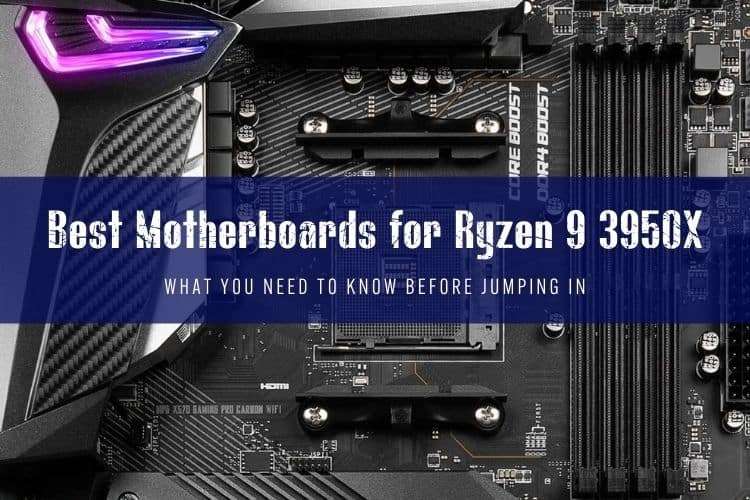
If you're hunting down a motherboard for the Ryzen 9 3950X, you're almost certainly hunting on the secondary market or rebuilding a budget multi-threaded workstation. The 16-core, 32-thread Zen 2 flagship pulls roughly 142W under full stock load, meaning you can't drop it into a bargain-bin office board and expect it to sustain all-core turbo clocks without melting the voltage regulator modules (VRMs).
We tested and tracked AM4 platforms across years of production. While you shouldn't pay original retail prices for high-end X570 boards anymore, several standout boards will drive this 16-core workhorse reliably for home servers, video rendering rigs, and budget gaming builds.
Quick Picks
- Best Value Overall: Asus TUF Gaming X570-Plus (Wi-Fi)
- Best Feature Set & Overclocking: Asus ROG Strix X570-E Gaming
- Best Used Flagship: Gigabyte X570 AORUS Master / Xtreme
- Best Low-Budget Baseline: MSI B450 Tomahawk Max (Stock operation)
- Best Micro-ATX Option: ASRock B550M Pro4
What the Ryzen 9 3950X Actually Needs
The 3950X drops into standard AM4 sockets, but running 16 cores places unique demands on power delivery. At default settings, the processor hits AMD's Package Power Tracking (PPT) limit of 142W. If you enable Precision Boost Overdrive (PBO), power draw easily climbs past 180W.
Cheap motherboards with bare metal VRMs (no heatsinks) and 4-phase power designs will overheat and thermal throttle within minutes of a heavy Blender or Cinebench render. You want at least a solid 10-phase or a high-quality 4x2 / 6x2 teamed power delivery setup paired with thick aluminum heatsinks. Good airflow across the upper socket area is also mandatory if you use an all-in-one liquid cooler that leaves VRMs without active fan draft.
Top Motherboard Reviews for Ryzen 9 3950X
1. Asus TUF Gaming X570-Plus (Wi-Fi) – Best Value Overall
The Asus TUF Gaming X570-Plus earned its legendary status for a reason: it brought top-tier VRM thermal performance down to a sensible mid-range price. Asus packed a 12+2 DrMOS power stage configuration into this board, meaning it runs the 3950X without breaking a sweat, even under sustained multi-hour renders.
You get PCIe 4.0 support across primary expansion and M.2 slots, Wi-Fi 5 (802.11ac), and decent rear I/O connectivity. The chipset fan is audible if you run a hot GPU right over it, and there's no front-panel USB-C header, but on the used market around $90 to $120, it remains our top recommendation for practical builders.
2. Asus ROG Strix X570-E Gaming – Best Feature-Rich Enthusiast Pick
If you want premium connectivity without paying collector prices for a halo board, the ROG Strix X570-E Gaming hits the sweet spot. It runs a capable 12+2 power stage design with hefty heatsinks, dual PCIe 4.0 M.2 slots with integrated spreaders, Wi-Fi 6, and a 2.5 Gbps Ethernet port alongside standard Gigabit LAN.
BIOS support on this board is rock solid, making memory tuning on Zen 2 straightforward. It handles PBO on the 3950X with zero drama. If you can pick one up secondhand under $150, it gives you virtually everything an enthusiast needs.
3. Gigabyte X570 AORUS Xtreme – The Passive-Cooled Halo Board
The AORUS Xtreme was Gigabyte's no-compromise AM4 showcase. Its biggest selling point remains the completely passive chipset cooler—no whiny 40mm fan to fail or collect dust. Under the hood, it features a true 16-phase digital VRM with direct-touch finned array heatsinks that keep temperatures ridiculously low, even under extreme manual overclocks.
It packs triple PCIe 4.0 NVMe slots, 10 GbE Aquantia LAN, and ESS SABRE audio. Don't pay original retail pricing for this board today. But if you spot a clean used unit from a workstation pull at a reasonable price, it is one of the finest AM4 motherboards ever built.
4. MSI B450 Tomahawk Max – Best Low-Budget Entry
Can a budget B450 board handle a 16-core CPU? Yes, with caveats. The MSI B450 Tomahawk Max features a competent 4+2 phase VRM with extended heatsinks that outclasses most other budget boards in its class.
You lose PCIe 4.0 speeds, meaning your M.2 drives and GPU will top out at PCIe 3.0 bandwidth. You should also ensure your PC case has direct airflow over the VRM heatsinks if you push all 32 threads for hours. But for a cheap second-hand productivity rig, the Tomahawk Max punches well above its weight class.
5. ASRock B550M Pro4 – Best Micro-ATX Option
Space-constrained builders putting together a compact workstation will appreciate the ASRock B550M Pro4. It delivers an 8-power-phase design with modest aluminum heatsinks, dual M.2 slots (one PCIe 4.0, one PCIe 3.0), and clean aesthetic styling.
We wouldn't recommend aggressive PBO overclocks on this board with a 3950X installed, as the VRMs will creep into the 80°C–85°C range in stagnant air. Keep the CPU at stock settings, pair it with a well-ventilated case, and it serves as a remarkably inexpensive micro-ATX backbone.
Motherboard Spec & Feature Comparison
| Motherboard | Chipset | VRM Layout | PCIe 4.0 Support | Target Price (Used) |
|---|---|---|---|---|
| Asus TUF Gaming X570-Plus | X570 | 12+2 DrMOS | Yes (CPU & Chipset) | $90–$120 |
| Asus ROG Strix X570-E | X570 | 12+2 DrMOS | Yes (CPU & Chipset) | $130–$160 |
| Gigabyte X570 AORUS Xtreme | X570 | 16-Phase Direct | Yes (CPU & Chipset) | $180–$240 |
| MSI B450 Tomahawk Max | B450 | 4+2 Extended | No (PCIe 3.0 only) | $50–$75 |
| ASRock B550M Pro4 | B550 | 8-Phase | Yes (CPU slot only) | $65–$85 |
X570 vs. B550 vs. B450: Which Should You Buy?
Choosing an AM4 chipset comes down to expansion slots and drive speeds:
- X570: Best if you plan to run multiple high-speed PCIe 4.0 NVMe SSDs for scratch disks or large file storage. Both the CPU lanes and chipset downlink support Gen 4 speeds.
- B550: The smarter buy for most people. You get PCIe 4.0 on the primary GPU slot and the main M.2 slot, while the chipset runs cooler on PCIe 3.0 without needing an active fan.
- B450: Only buy this if every dollar counts. It limits the entire system to PCIe 3.0, but real-world everyday performance differences remain negligible for general gaming and workflow tasks.
Buying New Instead? A Reality Check
If you don't already own the Ryzen 9 3950X, step back and evaluate current platform pricing. A modern budget 6-core or 8-core processor like the Ryzen 5 7600 or Core i5-13600K matches or beats the 3950X in single-thread speeds and gaming, while consuming far less power and giving you an upgrade path on DDR5 platforms.
Stick with the 3950X if you already have the chip, found one for under $130, or specifically need 32 raw threads for virtual machines and software compiling on a shoestring budget.
FAQ
Can a B450 motherboard run a Ryzen 9 3950X without throttling?
Yes, provided the board has quality VRMs and decent heatsinks, such as the MSI B450 Tomahawk Max or Gaming Pro Carbon. Avoid bare-PCB budget B450 boards, keep the CPU at stock power limits, and ensure your chassis has active exhaust or intake fans blowing across the socket.
Do I need an X570 board to get PCIe 4.0 on the 3950X?
No. B550 motherboards also supply full PCIe 4.0 bandwidth to your top x16 graphics slot and primary M.2 NVMe slot directly from the CPU. X570 is only necessary if you require PCIe 4.0 speeds on secondary and tertiary M.2 drives wired through the chipset.
What is the maximum RAM capacity supported on these boards?
All recommended boards support up to 128 GB of unbuffered DDR4 RAM across four DIMM slots (using 32 GB modules). For optimal stability on the Zen 2 memory controller with all four slots populated, run speeds between DDR4-3200 and DDR4-3600.