Best Motherboard for Ryzen 9 5950X in 2026
The 16-core Ryzen 9 5950X is now a budget workstation bargain on the secondary market. Here are the AM4 motherboards with the VRM muscle to run it right.
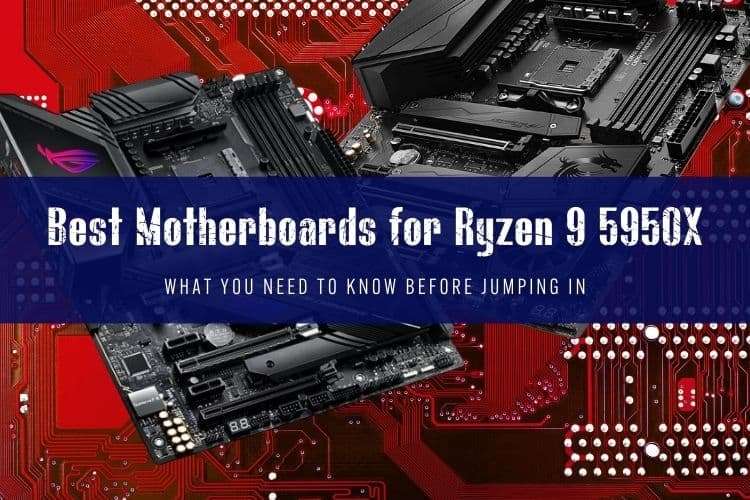
The 16-Core AM4 Reality in 2026
AMD's Ryzen 9 5950X still pulls serious weight as a 16-core, 32-thread production workhorse, but you shouldn't pay 2020 flagship prices for the motherboard powering it. At stock settings, the 5950X draws 142W under full load (Package Power Tracking), and enabling Precision Boost Overdrive (PBO) pushes power draw past 200W. If your motherboard has weak voltage regulator modules (VRMs), the CPU will throttle down its clock speeds during long renders or code compiles.
Today, building around a 5950X makes sense for budget virtualization rigs, home render nodes, and cheap workstation upgrades. You can find top-tier X570 and B550 boards on the used market for $90 to $180—prices that make AM4 an unbeatable value compared to migrating to AM5 with new DDR5 RAM.
Quick Picks
- Best Enthusiast Board: ASUS ROG Crosshair VIII Dark Hero
- Best for Content Creators: Gigabyte B550 Vision D-P
- Best Overall Value: ASUS TUF Gaming X570-Plus (Wi-Fi)
- Best Mid-Range Workhorse: MSI MAG B550 Tomahawk
- Best Mini-ITX: ASUS ROG Strix X570-I Gaming
Power Delivery: What the 5950X Actually Needs
Never pair a 16-core processor with entry-level power delivery. A 5950X needs at least an 8-phase VRM with quality 50A power stages and chunky heatsinks to avoid thermal throttling. Boards with bare MOSFETs or tiny stamped metal covers will hit 100°C within minutes of a multi-threaded render loop.
You do not need to overspend on high-end boards with 16-phase, 90A stages unless you plan to max out PBO limits on custom liquid cooling. A well-engineered 10-to-12-phase setup handles sustained multi-hour workloads without breaking a sweat.
The Top Motherboards for Ryzen 9 5950X
1. ASUS ROG Crosshair VIII Dark Hero – The Definitive AM4 Board
The Crosshair VIII Dark Hero remains the gold standard for high-end AM4 setups. ASUS swapped the annoying active chipset fan found on earlier X570 boards for a massive passive aluminum heatsink, eliminating a potential failure point and removing whiny fan noise. Its 14+2 power stage design (90A stages) runs cooler than almost anything else on the socket.
The standout feature is Dynamic OC Switcher, which automatically transitions between single-threaded PBO boost clocks for gaming and a locked all-core overclock for rendering. If you find one used for under $200, grab it.
2. ASUS TUF Gaming X570-Plus (Wi-Fi) – Reliable Budget Workhorse
The TUF Gaming X570-Plus proved that affordable boards can handle flagship silicon. Its 12+2 DrMOS power stages handle a 5950X at full tilt with VRM temperatures hovering around 65°C under sustained load. You get PCIe 4.0 across both M.2 slots and primary expansion slots.
Downsides? The board lacks a BIOS Flashback button, meaning you need a compatible CPU installed to update the firmware if buying an older stock unit. The rear I/O is also somewhat basic, but for pure stability per dollar, it is tough to beat at around $100 used.
3. Gigabyte B550 Vision D-P – Creator-Focused Connectivity
Creators who need high-bandwidth external storage or run dual GPUs will appreciate the B550 Vision D-P. Gigabyte fitted this board with dual Intel Thunderbolt 3 Type-C ports, dual Intel 2.5GbE LAN, and validated support for ECC unbuffered memory. Its 14-phase digital VRM with 50A power stages keeps thermals safely below 70°C under extended rendering jobs.
Because it runs the B550 chipset, only the primary M.2 slot and top PCIe slot run at PCIe 4.0 speeds, with secondary lanes routed through PCIe 3.0. For most video editing and audio production workflows, that trade-off is well worth having native Thunderbolt onboard.
4. MSI MAG B550 Tomahawk – Sensible Mainstream Alternative
If you don't need the secondary PCIe 4.0 lanes of X570, the MSI MAG B550 Tomahawk is one of the best budget boards ever built for 16-core chips. Its 10+2+1 duet rail power system with 60A stages stays cool even during Blender marathons. You get dual LAN (2.5GbE + 1GbE), an integrated I/O shield, and MSI's reliable Flash BIOS Button.
Skip the ultra-cheap MSI B550M PRO-VDH for a 5950X; while that micro-ATX board works for 65W Ryzen 5 chips, its VRM will run uncomfortably hot under prolonged 16-core rendering loads. Stick to the Tomahawk for peace of mind.
5. ASUS ROG Strix X570-I Gaming – Compact Powerhouse
Squeezing 16 cores into a small-form-factor case requires careful board selection. The Strix X570-I uses an 8+2 stage VRM cooled by a small, active fan hidden under the rear I/O shroud. It includes two M.2 PCIe 4.0 slots, Wi-Fi 6, and clean audio routing on a dedicated audio daughterboard.
Be mindful of airflow: in cases with poor ventilation, the tiny VRM fan can spin up aggressively. Pair this board with a 240mm or 280mm AIO cooler to keep CPU thermals in check within tight ITX enclosures.
Motherboard Comparison for Ryzen 9 5950X
| Model | Chipset | Form Factor | VRM Layout | PCIe 4.0 M.2 Slots | Typical 2026 Price |
|---|---|---|---|---|---|
| ASUS ROG Crosshair VIII Dark Hero | X570 | ATX | 14+2 (90A) | 2 | $180 – $220 |
| ASUS TUF Gaming X570-Plus Wi-Fi | X570 | ATX | 12+2 (50A) | 2 | $95 – $130 |
| Gigabyte B550 Vision D-P | B550 | ATX | 14-Phase (50A) | 1 | $130 – $160 |
| MSI MAG B550 Tomahawk | B550 | ATX | 10+2+1 (60A) | 1 | $85 – $115 |
| ASUS ROG Strix X570-I Gaming | X570 | Mini-ITX | 8+2 (70A) | 2 | $140 – $175 |
Buying Used AM4 vs. Moving to AM5
Before spending money on a motherboard for the 5950X, do a quick sanity check on your budget. A used 5950X paired with an affordable $100 B550 board and 64GB of DDR4 memory will cost you roughly $320 to $380 total. That is exceptional value for 16 real cores.
However, if you are buying everything from scratch and plan on heavy gaming alongside your productivity work, check pricing on newer platforms. A modern mid-range CPU like the Ryzen 7 7700X or Core i5-14600K will match or beat the 5950X in mixed workloads while offering a much faster gaming experience and a clear path for future upgrades.
FAQ
Do all B550 and X570 motherboards support the Ryzen 9 5950X out of the box?
Most boards manufactured after early 2021 ship with BIOS versions that support Ryzen 5000 series chips out of the box. If you buy a used board with an early BIOS revision, you will need a motherboard equipped with a hardware BIOS Flashback button (such as the ASUS USB BIOS Flashback, MSI Flash BIOS, or Gigabyte Q-Flash Plus) to update the firmware using a USB drive without an older CPU installed.
Is a B550 motherboard good enough for the Ryzen 9 5950X, or do I need X570?
A well-built B550 motherboard like the MSI MAG B550 Tomahawk or Gigabyte B550 AORUS Pro is completely sufficient for the 5950X. The main difference is lane routing: X570 provides PCIe 4.0 bandwidth across all M.2 and secondary expansion slots, while B550 limits PCIe 4.0 speeds to the primary GPU slot and first M.2 slot. Unless you need three or more PCIe 4.0 NVMe drives running at maximum speed simultaneously, B550 saves money without sacrificing CPU performance.
What is the ideal RAM speed to run with a 5950X on these motherboards?
The sweet spot for Zen 3 memory controllers is a dual-channel DDR4-3600 CL16 kit. Running at 3600 MT/s allows you to maintain a 1:1 ratio between the memory clock (MCLK) and the Infinity Fabric clock (FCLK at 1800 MHz), giving you the lowest latency and optimal data throughput for multi-core productivity tasks.