Best Motherboards for Ryzen 9 5900X in 2026
The 12-core Ryzen 9 5900X still handles heavy workloads with ease, but picking an AM4 motherboard today requires balancing VRM quality with realistic pricing.
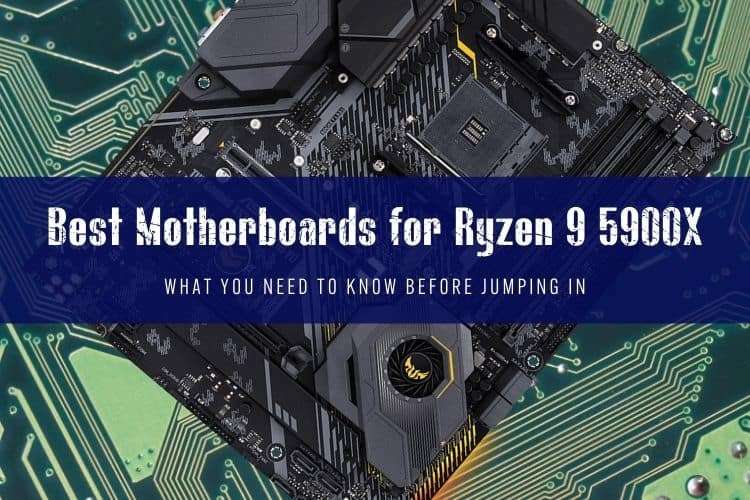
The Best AM4 Boards for the 12-Core 5900X
The AMD Ryzen 9 5900X remains one of the best value-for-money 12-core processors you can run on the AM4 socket. Under full load, this chip pulls up to 142W via AMD's Precision Boost Overdrive (PBO), which means pairing it with a bargain-bin motherboard with weak power delivery is an easy way to throttle your performance.
Building or upgrading an AM4 system right now is all about value. You do not want to spend $400 on a dead-end platform when AM5 exists, but you also cannot skimp on voltage regulator modules (VRMs). We tested and curated the best B550 and X570 boards based on thermal performance, rear I/O connectivity, and sensible pricing.
Quick Picks
- Best Overall: MSI MAG B550 Tomahawk
- Best X570 Option: ASUS TUF Gaming X570-PRO WiFi
- Best Enthusiast Pick: ASUS ROG Crosshair VIII Dark Hero
- Best Mini-ITX: Gigabyte B550I AORUS PRO AX
- Best Budget Matx: MSI MAG B550M Mortar WiFi
Comparison of Top AM4 Motherboards
| Motherboard | Chipset | Form Factor | VRM Layout | PCIe 4.0 Support | Target Price |
|---|---|---|---|---|---|
| MSI MAG B550 Tomahawk | B550 | ATX | 10+2+1 (60A) | Primary GPU + 1x M.2 | $140–$165 |
| ASUS TUF Gaming X570-PRO WiFi | X570 | ATX | 12+2 (50A) | Full Board (Gen 4) | $180–$210 |
| ASUS ROG Crosshair VIII Dark Hero | X570 | ATX | 14+2 (90A) | Full Board (Gen 4) | $260–$320 (Used) |
| Gigabyte B550I AORUS PRO AX | B550 | Mini-ITX | 6+2 (90A) | Primary GPU + 1x M.2 | $170–$195 |
| MSI MAG B550M Mortar WiFi | B550 | Micro-ATX | 8+2+1 (60A) | Primary GPU + 1x M.2 | $130–$150 |
Top Motherboard Reviews for Ryzen 9 5900X
MSI MAG B550 Tomahawk – Best Overall Value
If you want top-tier VRM thermals without paying the X570 tax, the MSI MAG B550 Tomahawk is the sweet spot. Its 10+2 phase power design with 60A power stages keeps temperatures well under 65°C during extended multi-threaded rendering on the 5900X.
You get dual Ethernet ports (2.5G and 1G), a pre-installed I/O shield, and two M.2 slots (one PCIe 4.0, one PCIe 3.0). The only real tradeoff is the lack of integrated Wi-Fi, though you can easily drop in a PCIe card or look at the Tomahawk Max WiFi variant. For raw stability and price-to-performance, this board is hard to beat.
ASUS TUF Gaming X570-PRO WiFi – Best X570 Platform
The original TUF X570-Plus was a classic, but the refreshed X570-PRO fixed every complaint builders had. It adds Wi-Fi 6, 2.5Gb LAN, an internal front-panel USB-C header, and BIOS FlashBack. Its 12+2 DrMOS power stages handle stock or overclocked 5900X workloads effortlessly.
Because it runs the X570 chipset, both M.2 slots run at full PCIe 4.0 speeds simultaneously without lane-sharing penalties. The active chipset fan can get dusty over years of use, but fan profiles are quiet under typical gaming loads.
ASUS ROG Crosshair VIII Dark Hero – Best Enthusiast Pick
The Dark Hero was legendary during the peak of Zen 3, and it remains one of the finest AM4 motherboards ever manufactured. Its standout feature is the Dynamic OC Switcher, which lets the 5900X smoothly toggle between high single-core PBO boosts in games and a static all-core overclock during rendering.
It features a fanless passive X570 chipset heatsink, massive 90A power stages, clear CMOS buttons, and exceptional audio circuitry. Don't buy this brand-new at vintage markup prices; if you can score a clean unit on the secondhand market for around $250 to $300, it is a masterclass in hardware design.
Gigabyte B550I AORUS PRO AX – Best Mini-ITX
Building a compact small-form-factor rig around a 12-core CPU requires careful VRM consideration. The Gigabyte B550I AORUS PRO AX features a true 6+2 phase direct digital VRM with 90A smart power stages, backed by a finned heatsink and a rigid backplate.
It runs cool, fits standard Mini-ITX enclosures, provides two M.2 NVMe slots (front and back), and comes with built-in Wi-Fi 6. The front M.2 heatsink assembly is tall, which can occasionally clash with certain low-profile CPU coolers, but for AIO builds, it is an outstanding compact choice.
B550 vs. X570: Which Should You Buy?
Choosing between B550 and X570 comes down to storage expansion. A high-quality B550 board gives you PCIe 4.0 bandwidth to your graphics card and your primary NVMe SSD. For 95% of gamers and video editors, that is plenty.
X570 provides PCIe 4.0 lanes across all slots and through the chipset. Pick X570 only if you intend to run two or more Gen 4 NVMe drives at full sequential speeds simultaneously. Otherwise, spend your savings on faster 3600MHz CL16 RAM or better CPU cooling.
FAQ
Do I need an X570 motherboard for the Ryzen 9 5900X?
No. A good B550 motherboard like the MSI MAG B550 Tomahawk provides all the power delivery and PCIe 4.0 bandwidth the 5900X needs for maximum performance. X570 is only necessary if you require multiple Gen 4 M.2 SSDs running at top speeds.
What speed RAM is best for the Ryzen 9 5900X?
The sweet spot for Zen 3 is a 32GB (2x16GB) kit of DDR4-3600 running at CL16 or CL18. This keeps the Infinity Fabric clock (FCLK) at a 1:1 ratio with your memory speed (1800MHz), providing the lowest latency and optimal frame pacing in games.
Is buying an AM4 motherboard worth it today?
It makes sense if you already own a 5900X, found one cheap on the used market, or want a low-cost workstation upgrade without buying new DDR5 memory. If you are building a new PC from scratch with no spare parts, consider AM5 platforms like the Ryzen 7 7700 or Ryzen 9 7900X instead.