ASUS ExpertBook P5 G2 (P5405CAA) vs Lenovo Yoga Slim 7a Gen 11 (14-inch AMD)
ASUS ExpertBook P5 G2 (P5405CAA): Intel Core Ultra 7 356H, released Jun 23, 2026, $2,979
Lenovo Yoga Slim 7a Gen 11 (14-inch AMD): AMD Ryzen AI 7 445, released Mar 13, 2026
The ASUS ExpertBook P5 G2 (P5405CAA) is 3 months newer.
Chip vs chip: Intel Core Ultra 7 356H vs AMD Ryzen AI 7 445 →
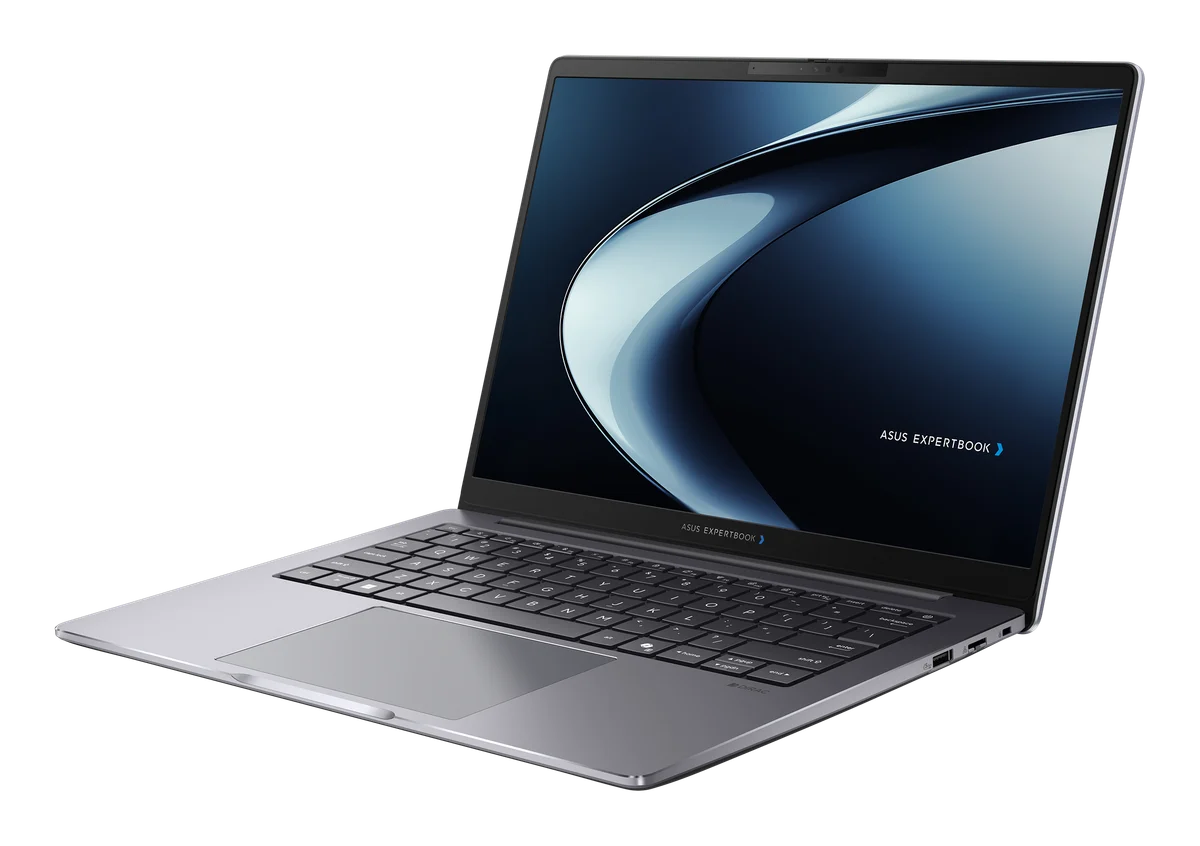
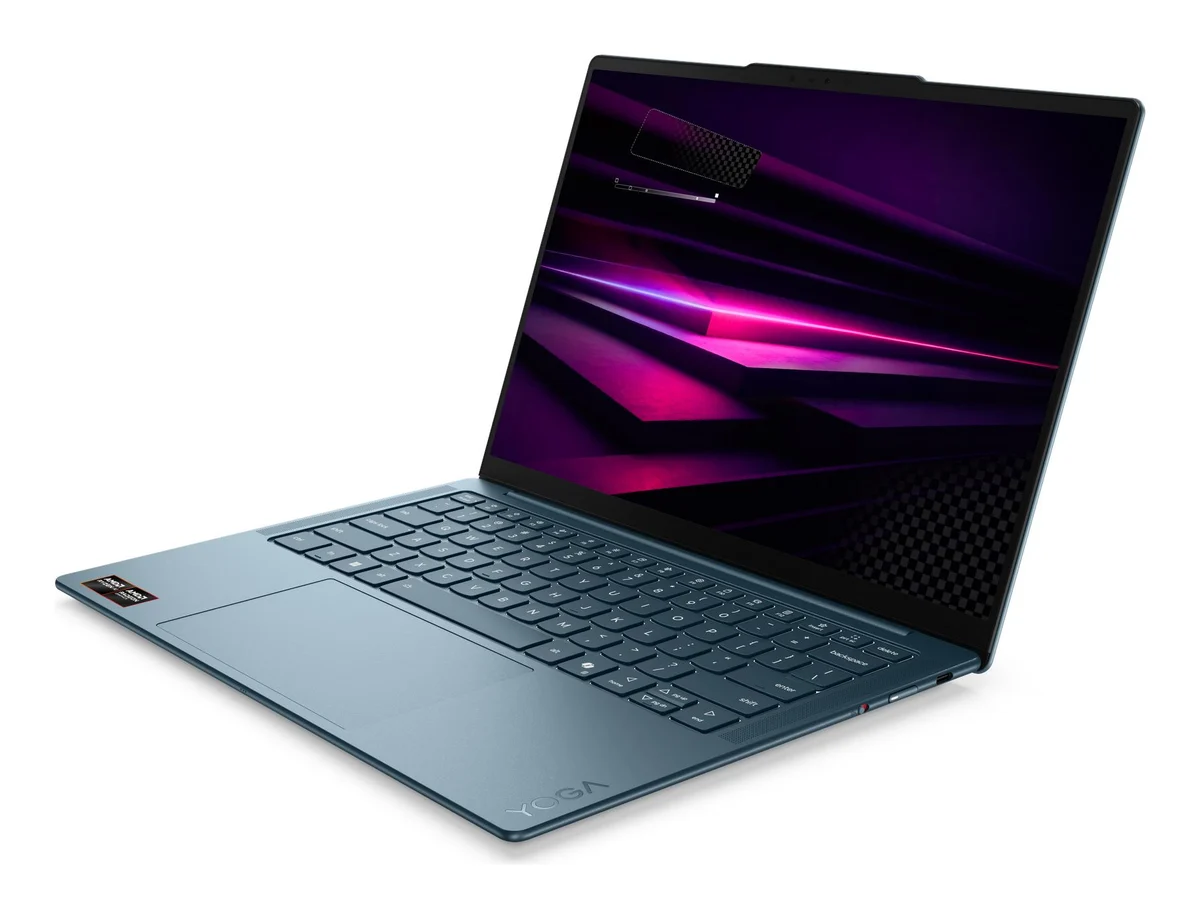
InnoReviews verdictToo close to call
This one is close to a dead heat: ASUS ExpertBook P5 G2 (P5405CAA) scores 57.8 against 57.6 for Lenovo Yoga Slim 7a Gen 11 (14-inch AMD). Pick by the categories that matter to you — ASUS ExpertBook P5 G2 (P5405CAA) edges ahead in performance and graphics, or by price.
Key differences
Reasons to pick the ASUS ExpertBook P5 G2 (P5405CAA)
- Stronger performance score: 56 vs 40
- Stronger graphics score: 56 vs 41
- 20% higher refresh rate: 144 Hz vs 120 Hz
- 100% higher RAM: 32 GB vs 16 GB
Reasons to pick the Lenovo Yoga Slim 7a Gen 11 (14-inch AMD)
- 175% higher peak brightness: 1,100 nits vs 400 nits
- 4.1 mm thinner: 13.9 mm vs 18 mm
- 0.23 kg lighter: 1.15 kg vs 1.38 kg
- 11% higher capacity: 70 Wh vs 63 Wh
Up next
ASUS ExpertBook P5 G2 (P5405CAA) vs Lenovo Yoga Slim 7a Gen 11 (14-inch AMD): benchmarks
Where we have no result for the ASUS ExpertBook P5 G2 (P5405CAA) itself, its bars show its chip's published results, tagged as the chip's
Geekbench 6 (single)
- ASUS ExpertBook P5 G2 (P5405CAA) chip result · via Intel Core Ultra 7 356H2,815
- Lenovo Yoga Slim 7a Gen 11 (14-inch AMD)2,606
Published results: review runs where we found them, otherwise typical published figures. A chip's figure is normally the median of review runs on devices with that chip.
Geekbench 6 (multi)
- ASUS ExpertBook P5 G2 (P5405CAA) chip result · via Intel Core Ultra 7 356H16,416
- Lenovo Yoga Slim 7a Gen 11 (14-inch AMD)9,976
Published results: review runs where we found them, otherwise typical published figures. A chip's figure is normally the median of review runs on devices with that chip.
Which would you pick?
ASUS ExpertBook P5 G2 (P5405CAA) vs Lenovo Yoga Slim 7a Gen 11 (14-inch AMD): full specs
Display
| Spec | ASUS ExpertBook P5 G2 (P5405CAA) | Lenovo Yoga Slim 7a Gen 11 (14-inch AMD) |
|---|---|---|
| Screen size | 14 ″ | 14 ″ |
| Panel type | IPS LCD (anti-glare, non-touch, 100% sRGB) | OLED |
| Resolution | 2560x1600 | 2880x1800 |
| Refresh rate | 144 Hz+20% | 120 Hz |
| Peak brightness | 400 nits | 1,100 nits+175% |
Performance
| Spec | ASUS ExpertBook P5 G2 (P5405CAA) | Lenovo Yoga Slim 7a Gen 11 (14-inch AMD) |
|---|---|---|
| Processor | Intel Core Ultra 7 356H | AMD Ryzen AI 7 445 |
| Graphics | Intel Graphics (integrated, 4 Xe3 cores) | AMD Radeon 840M (integrated) |
| RAM | 32 GB+100% | 16 GB |
| RAM type | DDR5 SO-DIMM (2 slots) | LPDDR5X-8000 |
| Storage | 1,024 GB | 1,024 GB |
| Storage type | M.2 2280 NVMe SSD | NVMe SSD (M.2 2242, PCIe Gen 4) |
Benchmarks
| Spec | ASUS ExpertBook P5 G2 (P5405CAA) | Lenovo Yoga Slim 7a Gen 11 (14-inch AMD) |
|---|---|---|
| Geekbench 6 (single) | — | 2,606Bottom 29% |
| Geekbench 6 (multi) | — | 9,976Bottom 10% |
Battery
| Spec | ASUS ExpertBook P5 G2 (P5405CAA) | Lenovo Yoga Slim 7a Gen 11 (14-inch AMD) |
|---|---|---|
| Capacity | 63 Wh | 70 Wh+11% |
| Charging | 65 W | 65 W |
Design
| Spec | ASUS ExpertBook P5 G2 (P5405CAA) | Lenovo Yoga Slim 7a Gen 11 (14-inch AMD) |
|---|---|---|
| Weight | 1.38 kg | 1.15 kg+17% |
| Thickness | 18 mm | 13.9 mm+23% |
| Material | Aluminum | Aluminum |
Connectivity
| Spec | ASUS ExpertBook P5 G2 (P5405CAA) | Lenovo Yoga Slim 7a Gen 11 (14-inch AMD) |
|---|---|---|
| Ports | 2x Thunderbolt 4 (USB4, display and power delivery), 2x USB 3.2 Gen 1 Type-A, 1x HDMI 2.1, 1x RJ45 Gigabit Ethernet, 3.5mm combo audio jack, Kensington Nano security slot | 2x USB-C (USB4 40Gbps, USB PD, DisplayPort 2.1), 1x USB-C (10Gbps, USB PD, DisplayPort 1.4); no HDMI, USB-A, card reader or 3.5mm jack |
| Wi-Fi | Wi-Fi 7 (802.11be) | Wi-Fi 7 |
| Bluetooth | 5.4 | 5.4 |
| Webcam | 5MP with IR and privacy shutter | 5.0MP IR camera with e-shutter |
| Biometrics | Fingerprint sensor, IR camera for Windows Hello face login | IR camera for Windows Hello face recognition |
Software
| Spec | ASUS ExpertBook P5 G2 (P5405CAA) | Lenovo Yoga Slim 7a Gen 11 (14-inch AMD) |
|---|---|---|
| Operating system | Windows 11 Pro | Windows 11 Home |
Quick answers
Which is better: ASUS ExpertBook P5 G2 (P5405CAA) or Lenovo Yoga Slim 7a Gen 11 (14-inch AMD)?
This one is close to a dead heat: ASUS ExpertBook P5 G2 (P5405CAA) scores 57.8 against 57.6 for Lenovo Yoga Slim 7a Gen 11 (14-inch AMD). Pick by the categories that matter to you — ASUS ExpertBook P5 G2 (P5405CAA) edges ahead in performance and graphics, or by price.
How do the scores compare?
ASUS ExpertBook P5 G2 (P5405CAA) scores 57.8/100 overall; Lenovo Yoga Slim 7a Gen 11 (14-inch AMD) scores 57.6/100. ASUS ExpertBook P5 G2 (P5405CAA) wins 2 individual spec rows, Lenovo Yoga Slim 7a Gen 11 (14-inch AMD) wins 4.
What are the main differences between the ASUS ExpertBook P5 G2 (P5405CAA) and the Lenovo Yoga Slim 7a Gen 11 (14-inch AMD)?
ASUS ExpertBook P5 G2 (P5405CAA) advantages: Stronger performance score: 56 vs 40; Stronger graphics score: 56 vs 41; 20% higher refresh rate: 144 Hz vs 120 Hz; 100% higher RAM: 32 GB vs 16 GB. Lenovo Yoga Slim 7a Gen 11 (14-inch AMD) advantages: 175% higher peak brightness: 1,100 nits vs 400 nits; 4.1 mm thinner: 13.9 mm vs 18 mm; 0.23 kg lighter: 1.15 kg vs 1.38 kg; 11% higher capacity: 70 Wh vs 63 Wh.
Use this on your site or forum
Copy a ready-made link. Scores on this page update as new results are published, so the link always leads to the current figures.