Best SSDs in 2026: Fast NVMe and SATA Storage Picks
PCIe 4.0 drives remain the clear sweet spot for value and real-world gaming speed, but choosing the right drive means dodging overpriced spec sheets.
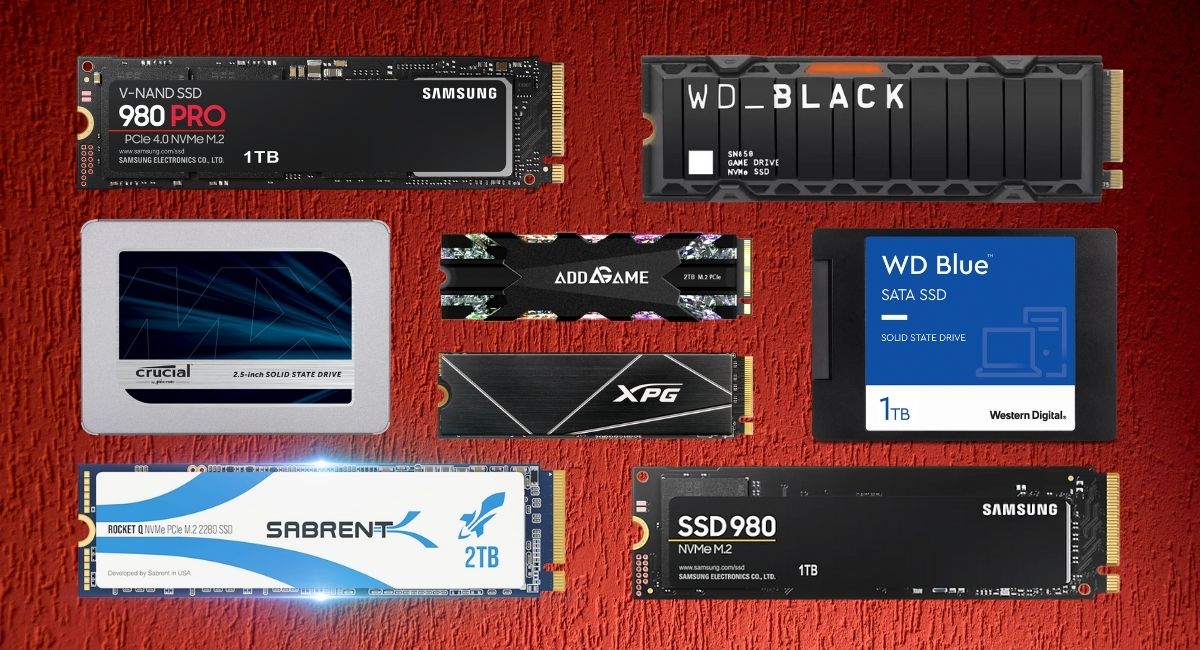
PCIe 4.0 NVMe drives are the clear sweet spot for everyday PC gaming, fast OS boots, and content creation. While PCIe 5.0 drives claim headline transfer numbers north of 12,000 MB/s, they run scorching hot, demand massive heatsinks, and cost twice as much without making games load a single second faster.
For almost every build or laptop upgrade, a reliable Gen4 M.2 drive will give you identical real-world snappiness for a fraction of the cost. If you are breathing life into an older system without an M.2 slot, a 2.5-inch SATA drive still gets the job done. Here are our top tested recommendations based on sustained transfer performance, thermal behavior, endurance ratings, and current street pricing.
Quick picks
- Best overall NVMe SSD: Samsung 980 PRO / 990 PRO (Fast sequential speeds, reliable thermal management, top-tier software)
- Best high-performance alternative: Kingston Fury Renegade (Exceptional sustained write endurance, graphene heat spreader)
- Best budget PCIe 4.0 drive: WD Black SN770 (Punchy gaming performance, great power efficiency, excellent price per gigabyte)
- Best high-end endurance drive: Seagate FireCuda 530 (Huge TBW ratings, included data recovery rescue services)
- Best 2.5-inch SATA SSD: Crucial MX500 (DRAM cache, reliable legacy boot and secondary storage drive)
SSD comparison: Key specs and speeds
| Model | Interface / Form Factor | Sequential Read / Write | Endurance (2TB Model) | Best For |
|---|---|---|---|---|
| Samsung 980 PRO | PCIe 4.0 x4 / M.2 2280 | 7,000 / 5,000 MB/s | 1,200 TBW | All-around power users & PS5 |
| Kingston Fury Renegade | PCIe 4.0 x4 / M.2 2280 | 7,300 / 7,000 MB/s | 2,000 TBW | Heavy creative workloads & PC gaming |
| WD Black SN770 | PCIe 4.0 x4 / M.2 2280 | 5,150 / 4,900 MB/s | 1,200 TBW | Budget builders & game libraries |
| Seagate FireCuda 530 | PCIe 4.0 x4 / M.2 2280 | 7,300 / 6,900 MB/s | 2,550 TBW | Extreme write endurance & workstation scratch disks |
| Crucial MX500 | SATA 6Gbps / 2.5-inch | 560 / 510 MB/s | 700 TBW | Older desktop/laptop upgrades & bulk storage |
Top PCIe 4.0 NVMe drives for PC and console
Samsung 980 PRO: The reliable workhorse
The Samsung 980 PRO remains one of the safest bets in storage. With sequential read speeds reaching up to 7,000 MB/s and writes hitting 5,000 MB/s on higher capacities, it saturates real-world tasks with ease. Samsung’s in-house Elpis controller handles thermal throttling gracefully, meaning sustained file transfers rarely fall off a cliff.
We also appreciate the companion Samsung Magician software. It provides straightforward firmware updates, diagnostic scans, and secure-erase features without bloatware. If you want a plug-and-play OS drive that requires zero troubleshooting, the 980 PRO is worth every dollar, especially on regular retail discounts.
Kingston Fury Renegade: High-speed endurance
Built around the Phison E18 controller and 176-layer 3D TLC NAND, the Kingston Fury Renegade pushes read speeds to 7,300 MB/s and write speeds to 7,000 MB/s on the 2TB and 4TB variants. Kingston fitted it with a slim graphene-aluminum heat spreader that fits into tight laptop chassis and the PlayStation 5 internal bay without clearance issues.
Its standout trait is endurance. The 2TB model is rated for 2,000 Terabytes Written (TBW), which easily outpaces many mainstream competitors. If you transfer large 4K video projects or rewrite massive datasets frequently, this drive will hold up long after cheaper drives burn through their flash cells.
The budget sweet spot: WD Black SN770
You do not need to spend top dollar to get snappy Gen4 speeds. The WD Black SN770 is a DRAM-less drive that uses Western Digital’s custom controller and Host Memory Buffer (HMB) technology to deliver read speeds up to 5,150 MB/s and writes up to 4,900 MB/s on 1TB and 2TB models.
Because it lacks dedicated DRAM, it pulls minimal power and generates very little heat. In everyday gaming load times and system boot tests, it matches drives that cost 40% more. Skip it if you are building an enterprise database server, but for a standard gaming rig, we would buy this and put the savings toward a faster graphics card.
Maximum endurance: Seagate FireCuda 530
The Seagate FireCuda 530 is tailored for sustained abuse. It hits top-tier Gen4 transfer rates of 7,300 MB/s read and 6,900 MB/s write, but its headline feature is endurance: up to 2,550 TBW for the 2TB model and 5,100 TBW on the 4TB model.
Seagate also bundles three years of its Rescue Data Recovery Services alongside a five-year limited warranty. If your drive suffers an unexpected hardware failure, Seagate’s lab attempts to recover your files directly. It carries a price premium, but for editors working with uncompressed media who cannot afford data loss, it provides genuine peace of mind.
Legacy SATA upgrades: Crucial MX500
SATA technology hit its bandwidth ceiling years ago, limited by the SATA III interface to roughly 560 MB/s. However, millions of older desktop motherboards and laptops lack M.2 slots, making 2.5-inch SATA drives the only upgrade path.
The Crucial MX500 remains our top recommendation here. Unlike ultra-cheap SATA drives that cut corners with inferior DRAM-less designs (like the Kingston A400), the MX500 packs dedicated DRAM caching and reliable TLC flash. It prevents the system freezes that plague lesser drives during heavy Windows updates. Just remember: do not pay more for a SATA drive than a cheap NVMe drive if your motherboard actually has an M.2 slot.
How to choose the right SSD
Form factor vs. Interface protocol
Do not confuse the physical connection with the protocol. M.2 is simply the physical shape (most commonly the 22mm x 80mm “2280” stick). NVMe is the high-speed communications protocol that runs over PCIe lanes. While SATA M.2 drives used to exist, almost all modern M.2 drives run NVMe over PCIe 3.0, 4.0, or 5.0 lanes. Double-check your motherboard manual before buying to confirm lane speeds.
DRAM cache vs. DRAM-less drives
DRAM on an SSD stores the mapping table that tells the controller where data physically lives on the NAND flash. Drives with onboard DRAM access this map instantaneously. Budget drives often omit DRAM to save money; newer NVMe drives compensate using Host Memory Buffer (HMB) to borrow a tiny sliver of your system RAM. HMB works remarkably well for gaming, but SATA drives cannot use HMB—meaning a DRAM-less SATA drive will suffer massive slowdowns during sustained writes.
Capacity: 1TB is the modern baseline
Modern games regularly demand 100GB to 150GB of storage space each. Avoid 250GB and 500GB drives for your primary OS and gaming partition if your budget allows. 1TB drives offer a much better price-per-gigabyte ratio, and 2TB drives frequently offer the highest sustained write speeds and endurance ratings in any product lineup.
FAQ
Will a PCIe 4.0 or 5.0 SSD make my PC games load faster?
Barely. Real-world game load tests show only fractional differences—often less than a single second—between a mid-range Gen4 NVMe drive, a top-tier Gen5 drive, and even an older Gen3 drive. Games rely heavily on random read speeds and CPU asset decompression rather than sustained sequential throughput. Buy for capacity, reliability, and thermals rather than chasing paper-spec read speeds.
Can I install a PCIe 4.0 NVMe SSD in a PCIe 3.0 motherboard slot?
Yes. PCIe is fully backward and forward compatible. A Gen4 drive installed in a Gen3 slot will simply operate at the maximum bandwidth of the Gen3 interface (roughly 3,500 MB/s). It will run slightly cooler as a result and will be ready to run at full speed if you upgrade your motherboard and processor later.
Do M.2 NVMe SSDs need dedicated heatsinks?
Gen3 and mid-range Gen4 drives (like the WD Black SN770) run cool enough for open-air desktop use without extra cooling, though the motherboard’s built-in metal shield is always helpful. High-end Gen4 drives (like the FireCuda 530) and all Gen5 drives require a heatsink or decent chassis airflow to prevent thermal throttling during prolonged file transfers.