Best Motherboard CPU Combos (2026 Guide)
Buying a paired CPU and motherboard can cut building costs significantly, provided you know which older bundles still hold their ground and when to step up to current-gen silicon.
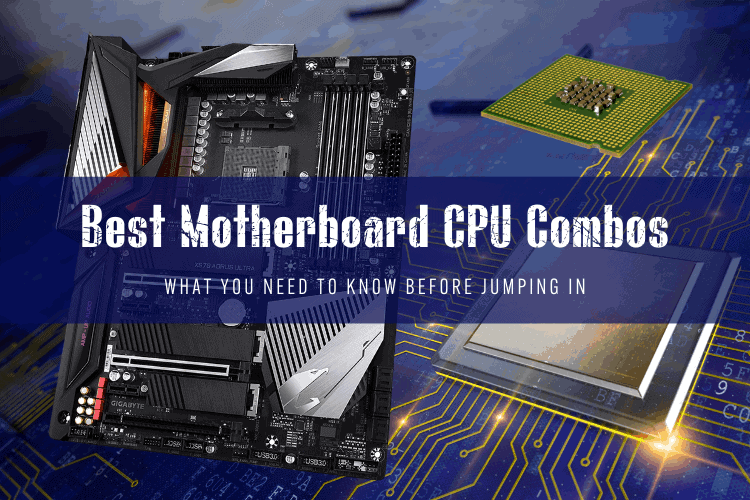
Top Motherboard CPU Combos at a Glance
Motherboard and CPU combos save cash, but buying older bundled hardware only makes sense if the price discount is steep. If you are not paying roughly 40% to 50% of original retail for legacy AM4 or LGA 1200 bundles, you should pick up a modern AM5 or LGA 1700 platform instead.
For budget builders, home lab tinkerers, and retro gamers scouring marketplace listings, specific legacy pairings still provide stellar price-to-performance. Here is how our picks shake out:
- Best Budget All-Rounder (Used Market): AMD Ryzen 5 3600 + ASUS ROG Strix B450-F
- Best High-Core Production Workhorse: AMD Ryzen 9 3900X + Gigabyte X570 Aorus Ultra
- Best Legacy Intel Overclocking Combo: Intel Core i9-10900K + ASUS Prime Z490-A
- Ultra-Budget Sub-$100 Pairing: Intel Core i5-9400F + Gigabyte B365M DS3H
- Smart Modern Alternative (Buying Brand New): AMD Ryzen 5 7600 + MSI Pro B650-S WiFi
Buying Used Bundles vs. Modern Platforms
A few years ago, retailers routinely sold boxed processor and motherboard combos with massive instant rebates. These days, the best pairing discounts happen on the second-hand market or through retailer clearance bundles. Platforms like AMD's AM4 and Intel's 9th and 10th Gen sockets have transitioned entirely to budget territory.
If you build a daily driver from scratch with a retail budget over $600, do not buy a 9th Gen Intel chip or an early Zen 2 processor. Modern budget chips like the Ryzen 5 7600 or Core i5-13400 easily beat an old flagship in single-threaded tasks and power efficiency. However, if you are putting together a secondary rig, a NAS server, or an esports machine for under $350, used motherboard and processor bundles remain the smartest way to keep costs rock bottom.
Best Budget All-Rounder: AMD Ryzen 5 3600 + ASUS ROG Strix B450-F
The Ryzen 5 3600 paired with an ASUS ROG Strix B450-F remains the undisputed king of sub-$130 budget builds. With 6 cores and 12 threads running on AMD's mature AM4 platform, this duo handles 1080p esports titles, everyday web workloads, and light media encoding without breaking a sweat.
The ASUS ROG Strix B450-F gives you decent VRM heatsinks, dual M.2 slots, and ASUS's clean BIOS interface. While it limits you to PCIe 3.0 speeds on the B450 chipset, that is plenty of bandwidth for budget GPUs like the Radeon RX 6600 or GeForce RTX 3060. Pair this bundle with 16GB of cheap DDR4-3200 memory, and you have a capable gaming rig for very little cash.
Target Used Price: $110 – $135 combined.
Best High-Core Production Workhorse: AMD Ryzen 9 3900X + Gigabyte X570 Aorus Ultra
For home servers, unRAID boxes, or budget rendering nodes, the Ryzen 9 3900X still holds serious utility. You get 12 full performance cores and 24 threads. When paired with the Gigabyte X570 Aorus Ultra, you gain full PCIe 4.0 storage bandwidth across three high-speed M.2 NVMe slots.
The Gigabyte X570 Aorus Ultra features a 12-phase digital VRM array with direct-touch heatpipes, handling heavy multi-threaded loads without thermal throttling. The board includes Intel Wi-Fi 6, front-panel USB-C, and reliable fan headers. Keep in mind that Zen 2 runs warm under full load; skip the stock AMD Wraith Prism cooler and grab a dual-tower air cooler like the Thermalright Peerless Assassin 120.
Target Used Price: $220 – $260 combined.
Best Legacy Intel Overclocking Combo: Intel Core i9-10900K + ASUS Prime Z490-A
The Core i9-10900K was Intel's last pure 14nm flagship, packing 10 full-power cores with clock speeds boosting up to 5.3 GHz. Paired with the ASUS Prime Z490-A, this combo offers a rock-solid platform for high-refresh-rate 1080p gaming and heavy desktop multi-tasking.
The ASUS Prime Z490-A provides solid power delivery, clean white-and-silver aesthetics, and decent memory overclocking stability up to DDR4-4600. The downside is power consumption: the 10900K easily pulls 250W under sustained load when unlocked. You will need a 280mm or 360mm liquid cooler and a reliable 750W power supply. Do not pay over $240 for this package; anything higher puts you right into modern Core i5 territory, which runs cooler and games faster.
Target Used Price: $200 – $240 combined.
Ultra-Budget Sub-$100 Pick: Intel Core i5-9400F + Gigabyte B365M DS3H
If you need a functional PC platform for less than a nice dinner, an Intel Core i5-9400F and Gigabyte B365M DS3H combo gets the job done. The 9400F offers 6 cores and 6 threads clocked at 2.9 GHz base and 4.1 GHz turbo. Because it lacks integrated graphics, you must pair it with a dedicated graphics card.
The Gigabyte B365M DS3H is a compact Micro-ATX board with four DDR4 DIMM slots, a single PCIe 3.0 x4 M.2 slot, and Gigabit LAN. It lacks high-end features, overclocking support, and USB Type-C. However, it runs cool, accepts cheap DDR4-2666 memory, and consumes almost no power at idle, making it a stellar candidate for a budget arcade cabinet, living-room emulator, or office workstation.
Target Used Price: $60 – $80 combined.
Motherboard & CPU Combo Comparison
| Combo Pairing | Socket | Cores / Threads | RAM Support | Best Use Case | Fair Used Price |
|---|---|---|---|---|---|
| Ryzen 5 3600 + B450-F | AM4 | 6 / 12 | DDR4-3200 | Budget 1080p Gaming | $120 |
| Ryzen 9 3900X + X570 Ultra | AM4 | 12 / 24 | DDR4-3600 | Home Server / Rendering | $240 |
| Core i9-10900K + Z490-A | LGA 1200 | 10 / 20 | DDR4-4000+ | Enthusiast Overclocking | $220 |
| Core i5-9400F + B365M DS3H | LGA 1151 | 6 / 6 | DDR4-2666 | Sub-$100 Scrap Build | $70 |
| Ryzen 5 7600 + B650 (New) | AM5 | 6 / 12 | DDR5-6000 | Modern Gaming Build | $320 (Retail) |
What to Check Before Buying a Used Bundle
Buying a used motherboard and processor combo comes with distinct risks that you do not face when ordering new parts from an online retailer. Run through this checklist before handing over cash:
- Check for bent pins: On AMD AM4 processors, inspect the CPU underside pins. On Intel LGA motherboards, check the socket pins inside the board retention bracket using your phone flashlight.
- Verify the BIOS version: Ensure the motherboard BIOS has been flashed to a revision that natively boots the included processor. Otherwise, you may get a black screen on first power-up.
- Inspect VRM and chipset fans: Older X570 boards feature tiny chipset cooling fans. Check that the fan spins freely without high-pitched bearing whine.
- Confirm the I/O shield is included: Motherboards from older generations often have separate metal I/O backplates. Replacement shields are annoying to source and cost extra money.
FAQ
Are motherboard and CPU combo deals still worth buying?
Yes, but primarily on the used market or during major clearance sales. Buying an older paired combo saves you the hassle of testing compatibility and usually knocks 20% to 30% off the cost of purchasing the processor and board individually.
Can I upgrade the CPU on a B450 or X570 motherboard later?
Yes. AMD's AM4 platform supports processors up through the Ryzen 5000 series. If you start with a Ryzen 5 3600 on a B450 or X570 board, you can later drop in a Ryzen 7 5700X3D or Ryzen 9 5950X by updating the motherboard BIOS.
Why do 9th Gen and 10th Gen Intel combos require separate cooler purchases?
High-end Intel chips like the Core i9-9900K, i7-9700K, and i9-10900K do not include boxed factory coolers because their thermal output requires an aftermarket tower cooler or liquid AIO. Only lower-tier non-K models like the i5-9400F shipped with basic stock aluminum heatsinks.